


Use common commands in MongoDB
This example pipeline demonstrates how to use common MongoDB commands (Create, Insert, and Find) to create a collection, insert employee data, and retrieve the records.

Configure the pipeline with three MongoDB Execute Snaps to perform the create, insert, and find operations. Each Snap in this pipeline performs the following operations:
- Create employee details collection (collection indicates a table in MongoDB)
- Insert the employee data into the collection
- Retrieve the employee data
-
Configure the Execute Snap with the
createcommand to create a collection named employees_data with id, name, and salary fields.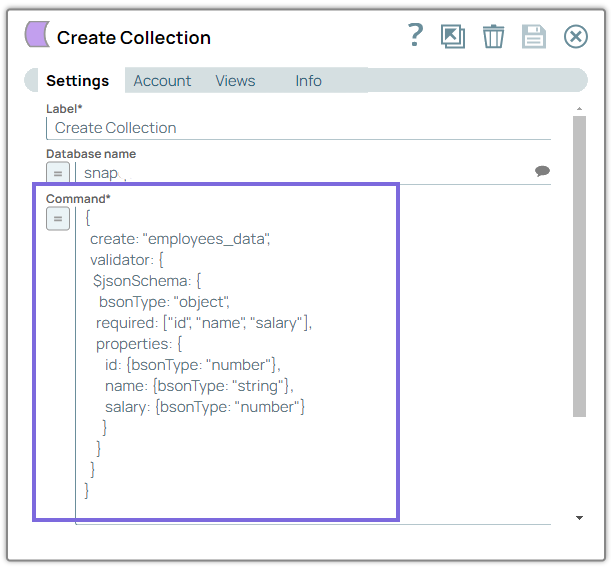
-
Configure the Execute Snap with the
insertcommand to insert three records of employees (id:1, id:2, id:3) with their salary details.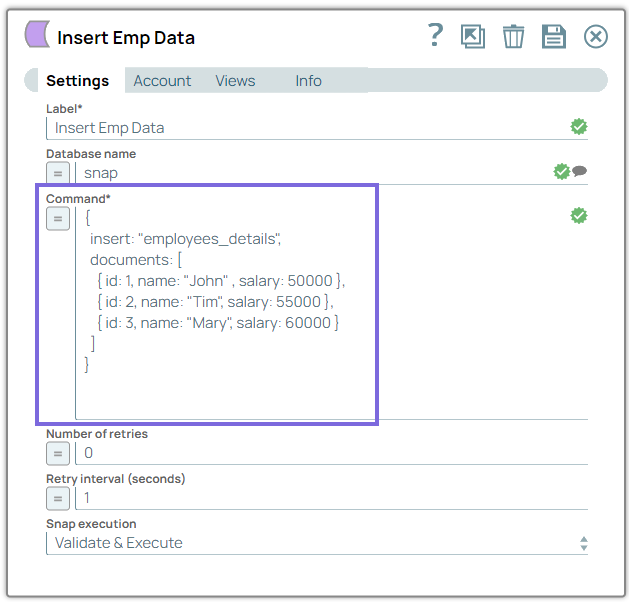
-
Configure the Execute Snap with the
findcommand to retrieve the employee details.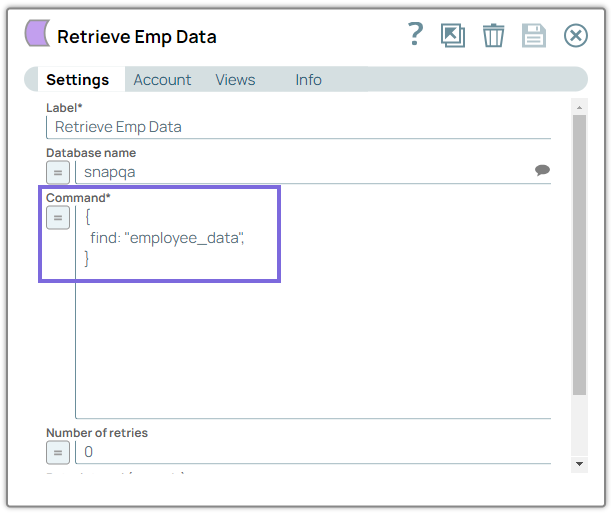
-
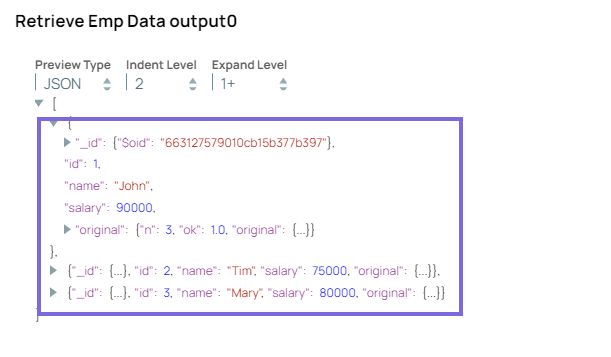
Validate the pipeline.
You can view the inserted records of the employees in the employee_data collection.
- Download and import the pipeline into SnapLogic.
- Configure Snap accounts as applicable.
- Provide pipeline parameters as applicable.