


Creating and Sending Messages using Twilio Programmable SMS Service
In this example, we want to create a Twilio message and send it to the target phone number. To use this example, you must have a valid and authorized Twilio Account (see Configure Twilio Accounts). You must also have a Twilio phone number with sufficient balance for sending at least one message.

Download this pipeline.
-
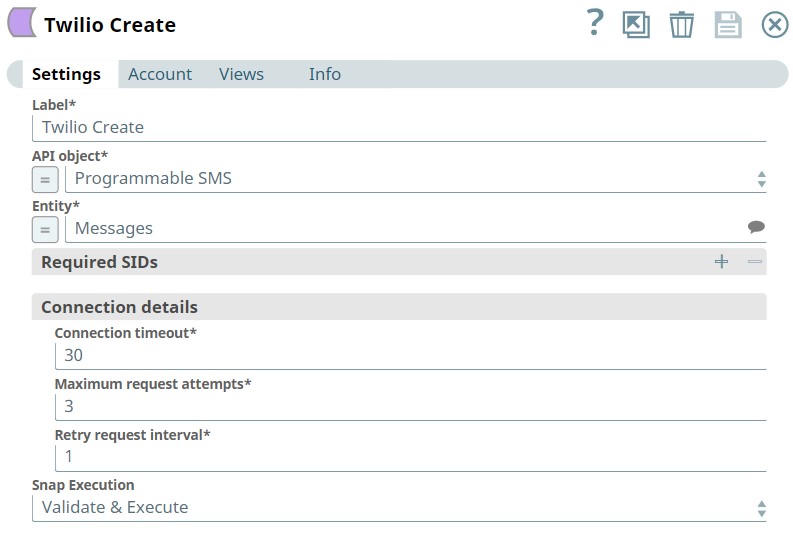
Configure the Twilio Create Snap.
Set the basic configuration for creating a message:
- API object: Programmable SMS
- Entity: Messages
-
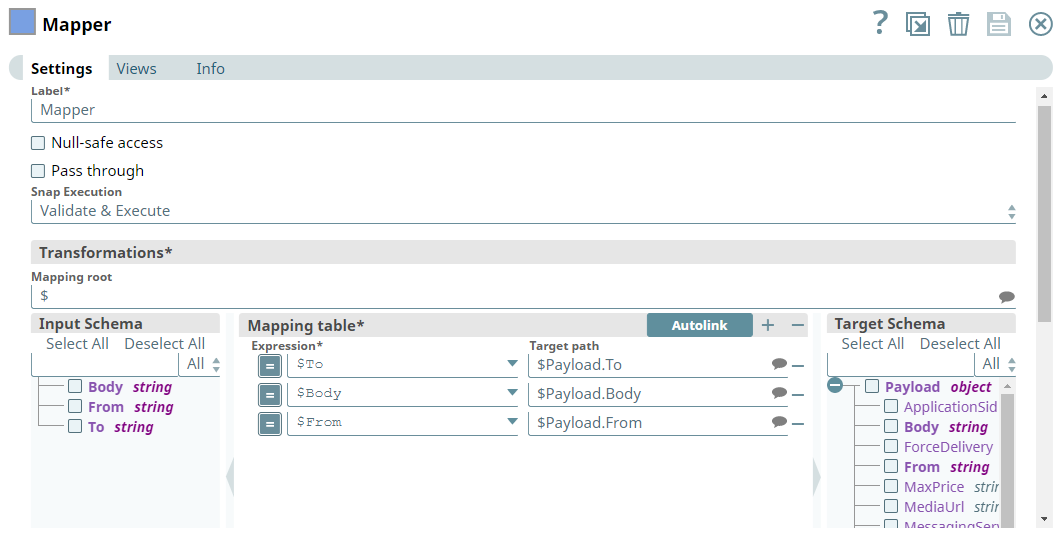
Configure the Mapper Snap upstream of the Twilio Create Snap.
On validation, you can view both the required and optional parameters for creating an object of Messages entity in the Target Schema of the upstream Mapper Snap. Select the parameters that are dynamically populated from the JSON Generator and map them to the Target Path.
Required parameters to map:
- To: Target phone number for receiving the message
- From: Legal Twilio phone number (sender)
- Body: Message text content
-
Configure the JSON
Generator Snap.
Edit the JSON text in the JSON Generator according to the Target path and enter them as expressions in the Mapper Snap.
Note: TheToparameter refers to the target phone number for receiving the message indicated under theBodyparameter. The value for theFromparameter must be a legal Twilio phone number.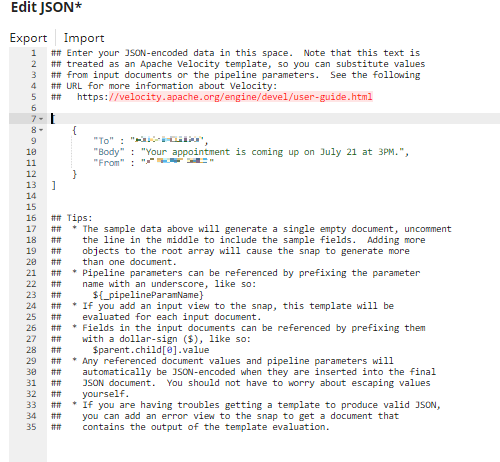
-
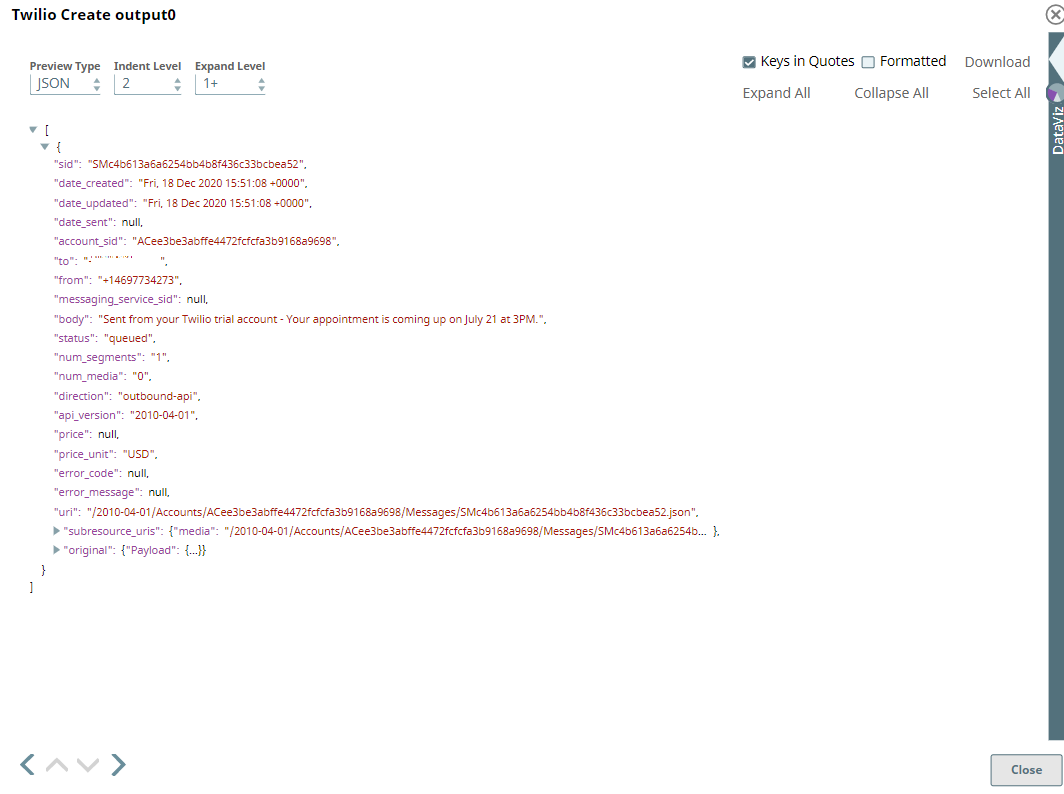
Run the pipeline.
Upon successful execution, the Pipeline results in the following API response in the output view of the Twilio Create Snap, which is then converted into XML and streamed to the File Writer Snap. In the interim, the target phone number receives the message from the Twilio phone number.
To reuse this pipeline in your environment:
- Download and import the Pipeline into SnapLogic.
- Configure Snap accounts as applicable.
- Update the
Toparameter with your target phone number. - Update the
Fromparameter with your Twilio phone number. - Customize the message
Bodyas needed. - Ensure your Twilio account has sufficient balance.