


Azure Service Bus Account
Overview
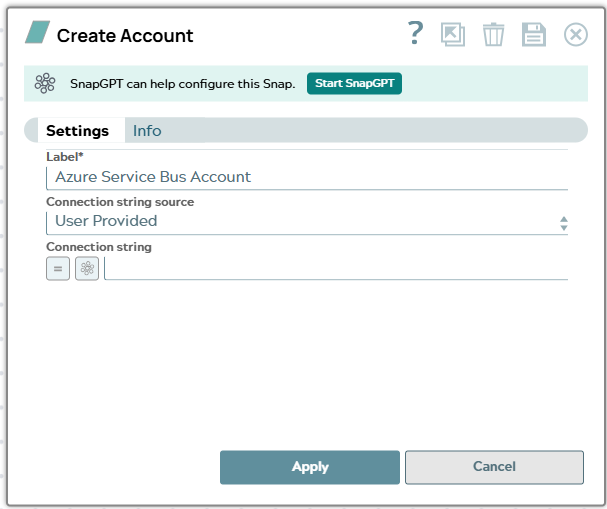
Prerequisites
- Outbound network access from the Snaplex nodes on ports 5671 and 5672, which Azure Service Bus uses for AMQP communication. If these ports are blocked, the account fails to connect to the Azure Service Bus namespace. For more information, see Azure Service Bus FAQ in the Microsoft documentation.
Account settings
- Expression icon (
 ): Allows using
JavaScript syntax to access SnapLogic Expressions to set field values dynamically (if
enabled). If disabled, you can provide a static value. Learn more.
): Allows using
JavaScript syntax to access SnapLogic Expressions to set field values dynamically (if
enabled). If disabled, you can provide a static value. Learn more. - SnapGPT (
 ): Generates SnapLogic Expressions
based on natural language using SnapGPT. Learn
more.
): Generates SnapLogic Expressions
based on natural language using SnapGPT. Learn
more. - Suggestion icon (
 ): Populates a
list of values dynamically based on your Snap configuration. You can select only one
attribute at a time using the icon. Type into the field if it supports a comma-separated
list of values.
): Populates a
list of values dynamically based on your Snap configuration. You can select only one
attribute at a time using the icon. Type into the field if it supports a comma-separated
list of values. - Upload
 : Uploads files. Learn more.
| Field/Field set | Description |
|---|---|
Label*
String |
Specify a unique label for the account. Default value: None Example: ASB Account |
Connection String Source
Dropdown list |
Choose the source of the connection string. The available options are:
Default value: User Provided Example: Snap Generated |
Connection String
String/Expression |
Specify the connection string of the namespace generated in the Azure Service Bus portal. Appears when you select User Provided for Connection String Source. Default value: N/A Example: |
Namespace*
String/Expression |
Specify the name of the Namespace that you created on the Azure portal. Appears when you select Snap Generated for Connection String Source. Default value: N/A Example: asbaccountdocs |
Shared Access Key Name
String/Expression |
Specify the shared access key name of the keys for Azure Service Bus in Azure portal. If the Connection String Source is Snap Generated, you must have a Shared Access Policy; you can provide a different name for your policy. Appears when you select Snap Generated for Connection String Source. Default value: RootSharedAccessKey Example: SharedAccessKey |
Shared Access Key*
String/Expression |
Specify the primary key from the connection string for Azure Service Bus. Appears when you select Snap Generated for Connection String Source. Default value: N/A Example: cN095CfjPY1 |