


Use Case: Reading Data from Snowflake and Loading into Azure Synapse
Understanding the Solution
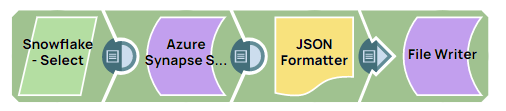
This Use Case example Pipeline demonstrates how to read data from Snowflake database and ingest that data in bulk into the Azure Synapse database.
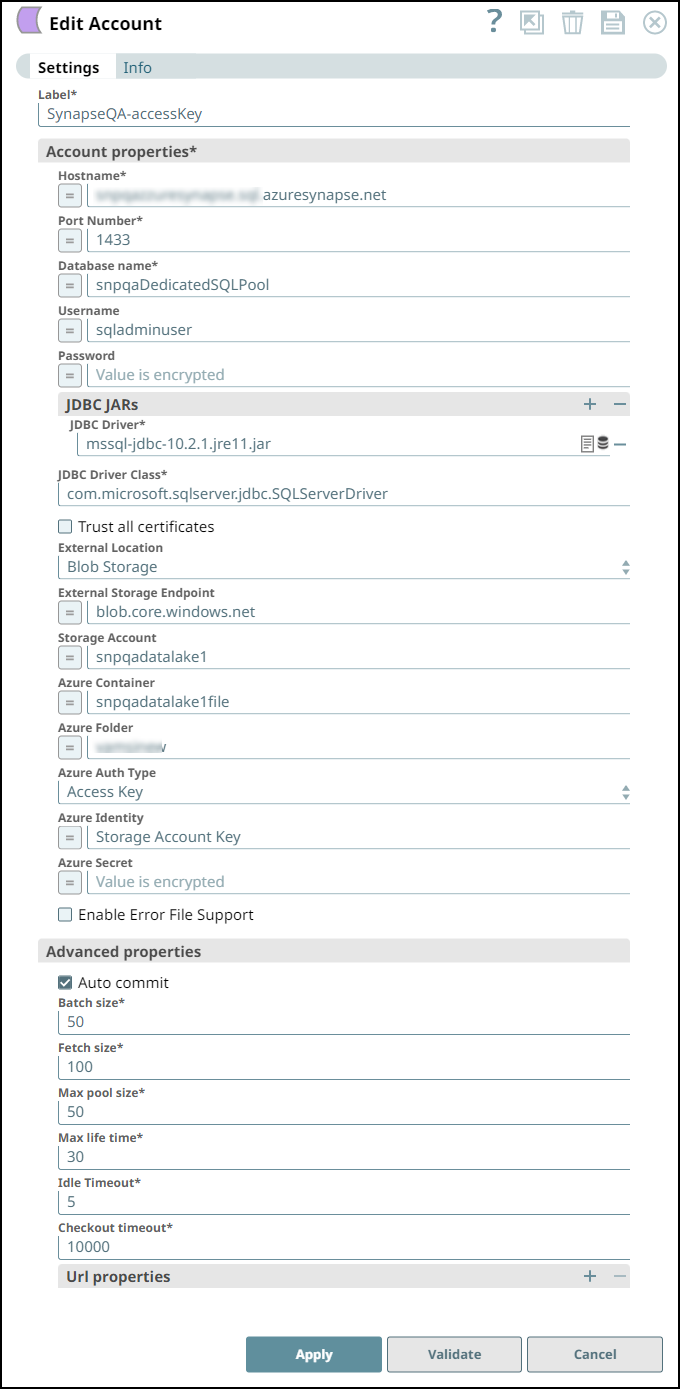
A valid Azure Synapse SQL Account.
Configure the Azure Synapse SQL Account
Configure the Azure Synapse SQL Account as follows:
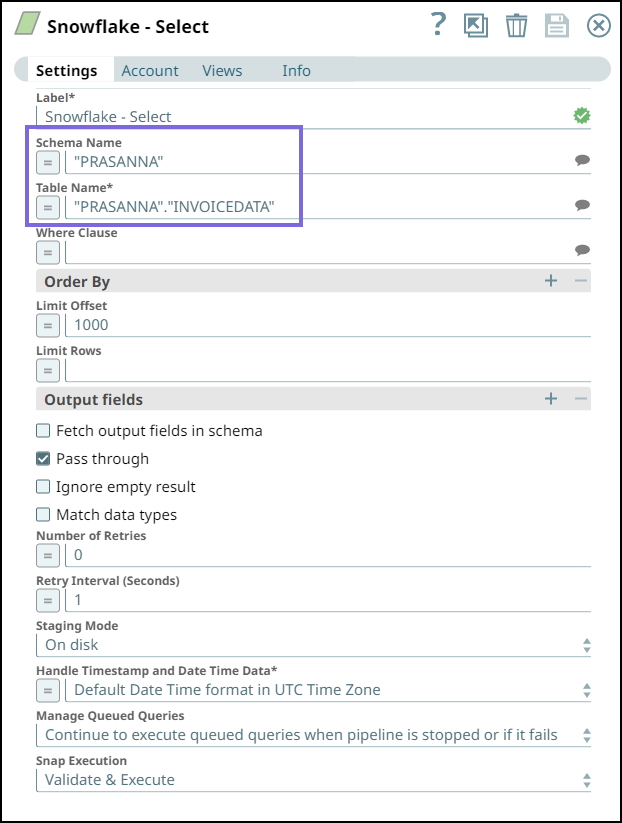
Reading Data from Snowflake
Configure the Snowflake Select Snap to read and select the data from INVOICEDATA table in the Snowflake database.
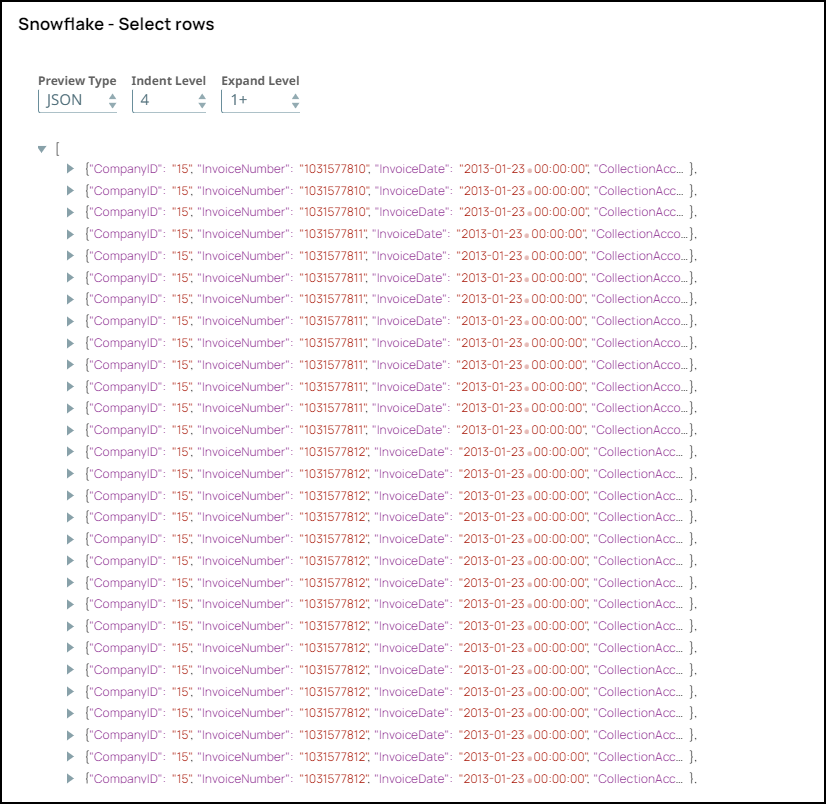
On validating, the Snap selects the data and displays the following output:
Ingesting Data into Azure Synapse
Configure the Azure Synapse SQL Bulk Load Snap to load the data from the upstream Snap and ingest into the "dbo"."PerfHugeDataTest" table in Azure Synapse.
We specify the following Copy Arguments to be used when loading the data:
ENCODING='UTF8': This argument enables the Snap to encode the data in UTF-8 format.MAXERRORS=1000: This argument enables the Snap to ignore 1000 record errors, continues the Snap execution, and terminates the operation after exceeding 1000 errors.
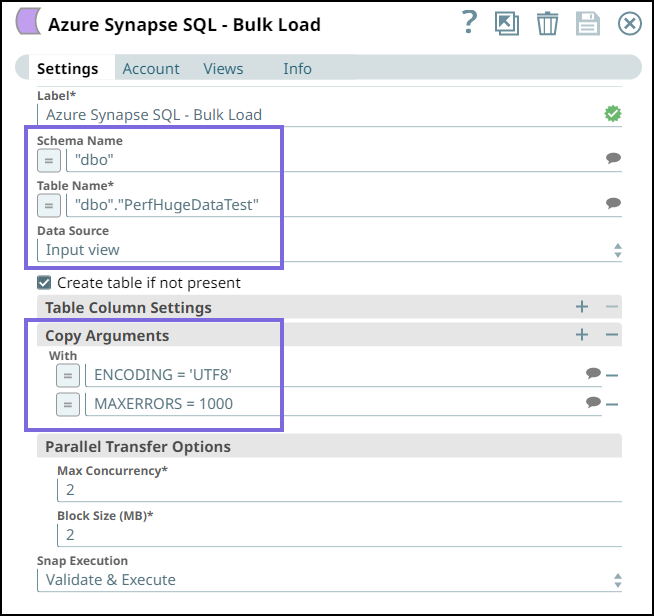
On validating the Snap, the query is created, and the success message of the Bulk Load operation is displayed:
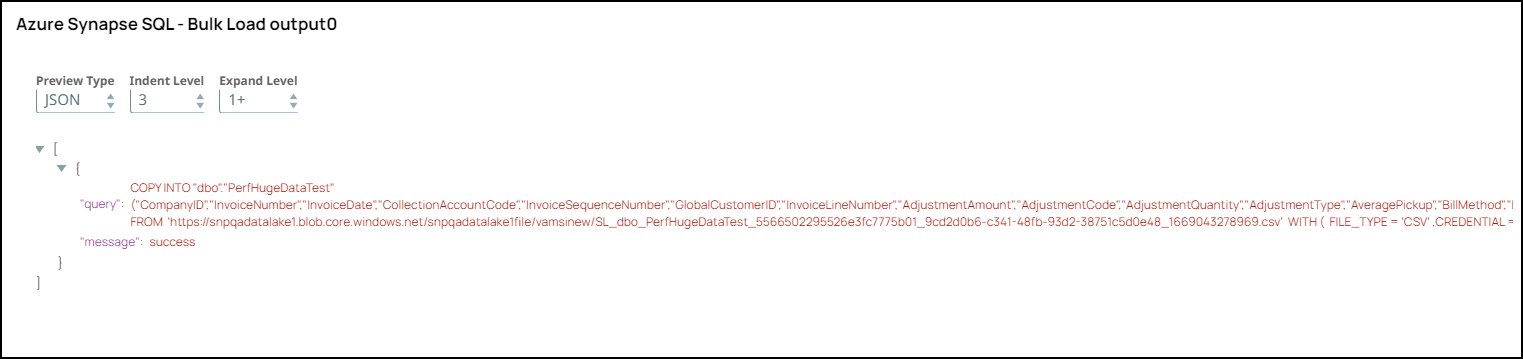
The data is written to a temporary file in the Snaplex and then uploaded to the Azure storage using the Azure API. After uploading the files to the Azure storage folder, the Snap runs the COPY INTO command to load the data from the files to the table.
Downloads
To reuse the example pipelines:
- Download and import the SLP file into your Environment.
- Configure Snap accounts.
- Provide Pipeline parameters, if any.