


Create a policy
Create a Basic Auth Policy and apply it to the Hello World Service endpoint.
This is step 3 of 5 in the Hello world tutorial.
After creating the Service, add a policy so that you can test the endpoint by supplying a username and password for basic authorization:
- From the left navigation pane, select Policy catalog.
- Click New Policy. The New policy panel opens:
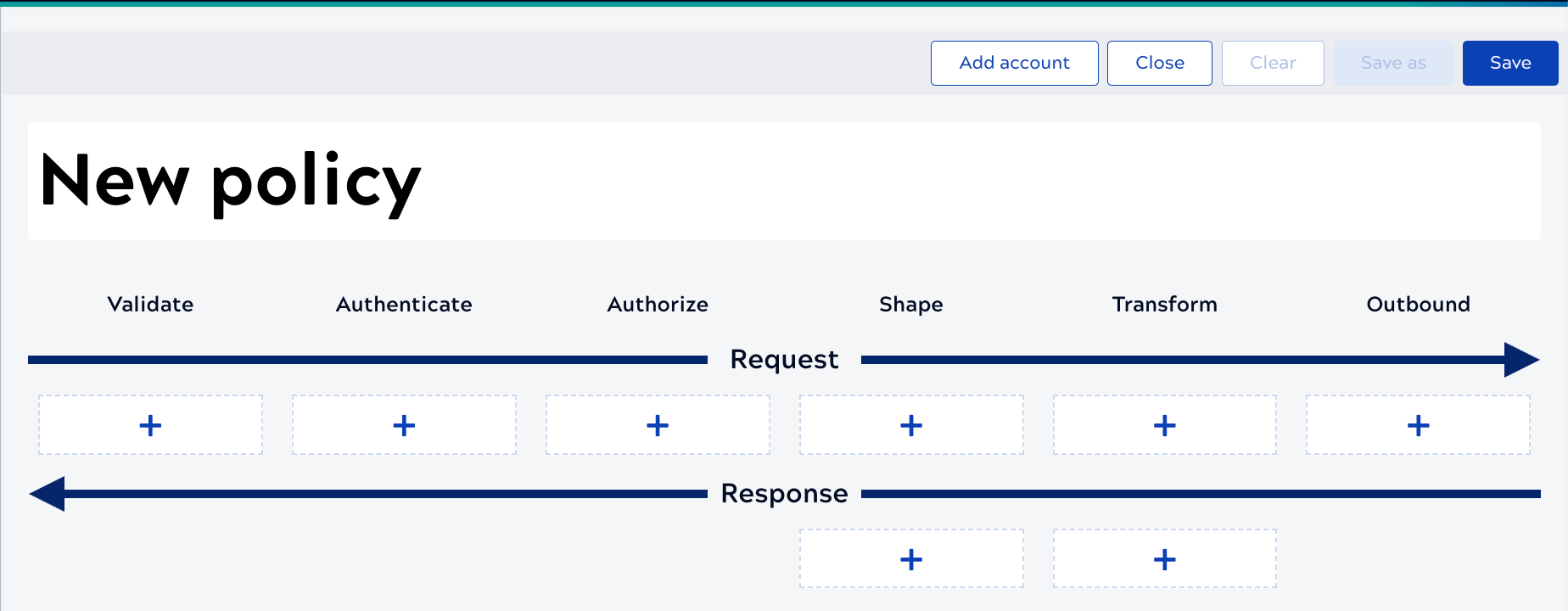
- Change the name to Tutorial Basic Auth.
- Click Authenticate.
- Select Basic Authentication.
Important: Snaplexes must be running on version 4.42 or later to use this rule.
- Leave the When this policy should be applied field empty.
- Click Validate & save.
- Click Save to save the Policy.
- Select the project where you created the Hello World Service and click Save.
Tip: Select the same project as the Hello World Service so the Policy appears in the selection list when you apply it.
Apply the policy
Applying the Policy at the Service level applies it to all endpoints. To demonstrate that different Policies can apply to different endpoints, we'll apply it at the endpoint level instead.
Apply the Policy to the endpoint:
- From the left navigation pane, click Service catalog.
- Click the Policies tab.
- In the Endpoint policies section, click the plus icon.
From the Service Documentation tab, you can add images and instructions for using the Service, as described in Add documentation and categories. The tutorial won't cover that.