


Retrieve per-person information from the SuccessFactors data center
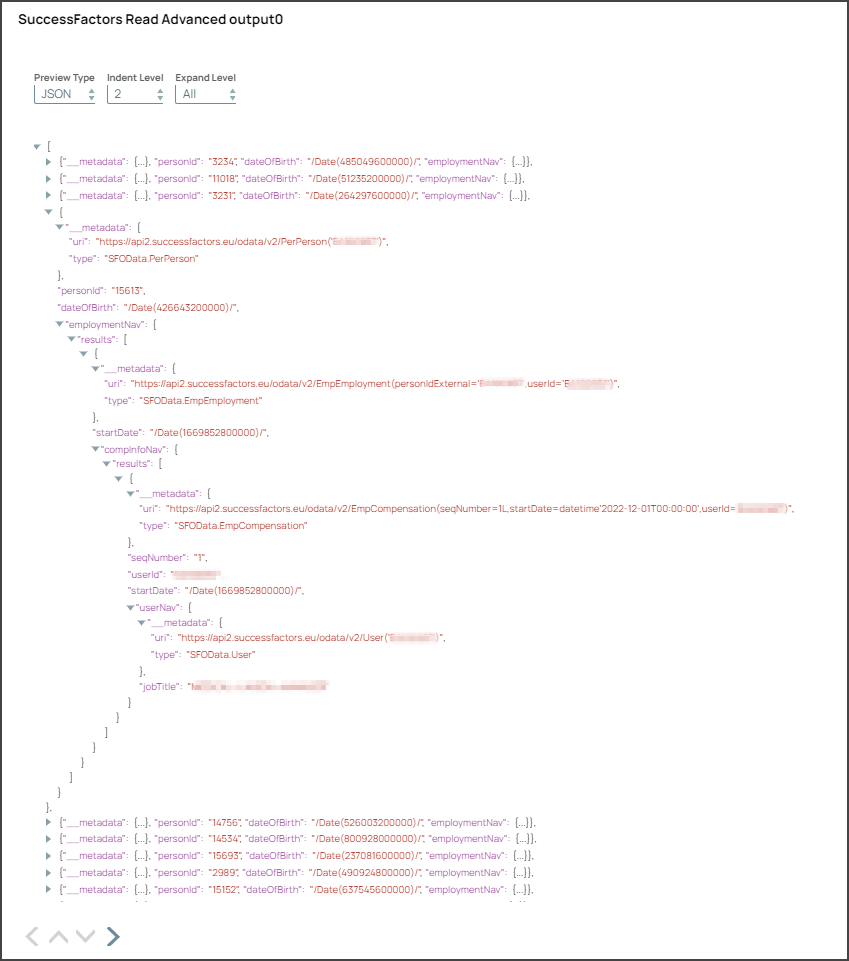
This example pipeline demonstrates how to read PerPerson data via Employee Central (EC) - PerPerson API entity in the Success Factors data center. The example assumes that you have configured and authorized a valid SuccessFactors Account. T. The PerPerson entity is expanded until the second navigation level.

Download this Pipeline
-
Configure the SuccessFactors Read Advanced Snap as shown below. Upon validation, the Snap displays the output showing the query results.
SuccessFactors Read Advanced Snap Configuration Output 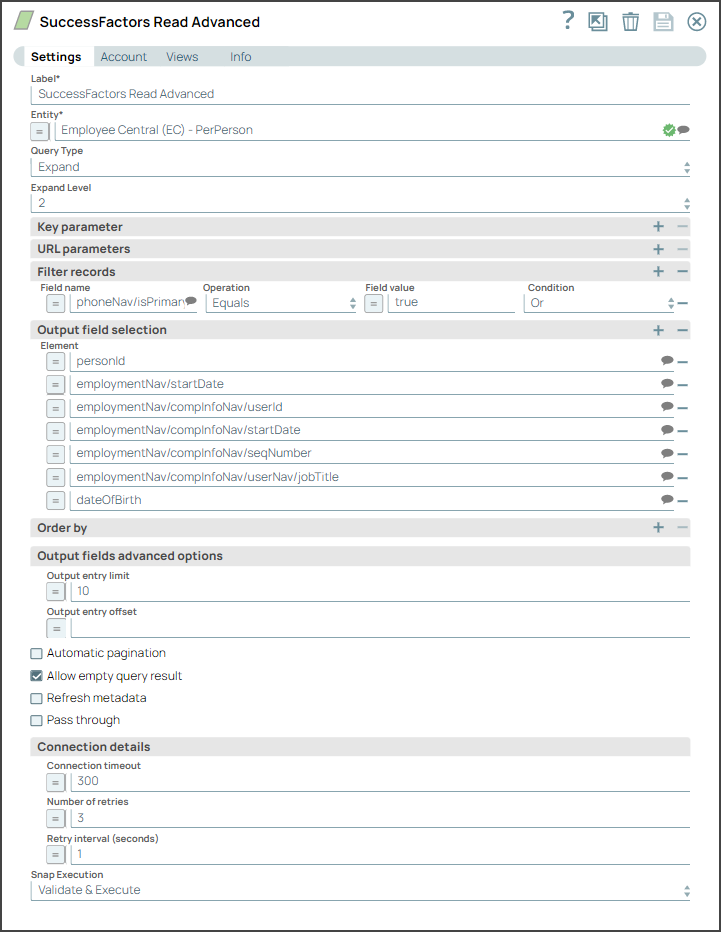
- Download and import the SLP file into your Environment.
- Configure Snap accounts.
- Provide Pipeline parameters, if any.