


Upserting Department Record and Associating with an Employee Record
This example demonstrates how to upsert a department record and associate it with an employee record using the Salesforce Upsert Snap in Bulk API mode. The Salesforce Poller Snap polls the status of the batch job submitted to Salesforce application. Upon validation, the Snap creates the record for department and associates it with the employee record.
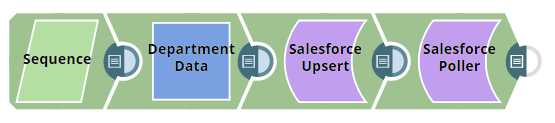
Download this Pipeline
-
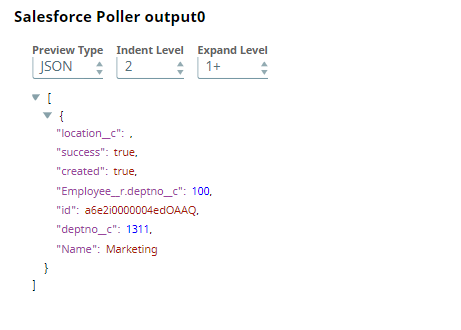
The following table shows the Salesforce Poller Snap configuration and output:
Salesforce Poller Snap Configuration Salesforce Poller Snap Output 
- Download and import the SLP file into your Environment.
- Configure Snap accounts.
- Provide Pipeline parameters, if any.