


Deleting the Customer Material Data from SAP S/4HANA Cloud
This example demonstrates how to delete customer material data from SAP S/4HANA Cloud.
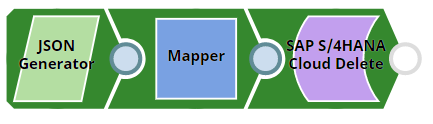
Download this Pipeline
Configure the SAP S/4HANA Cloud Delete Snap to delete the customer material record identified by the key parameters passed from the upstream Snap.
On validation, the Snap displays the response code and status for the deleted record.
| Cloud Delete Snap configuration | Cloud Delete Snap output |
|---|---|
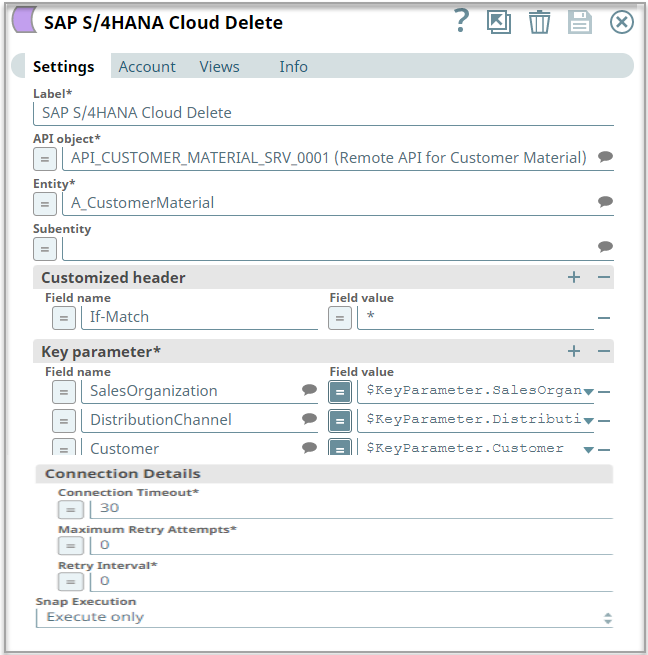 |
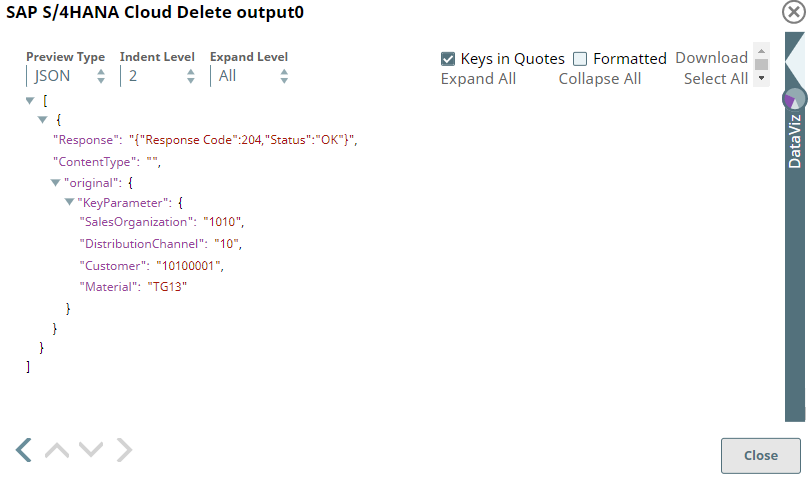 |
- Download and import the SLP file into your Environment.
- Configure Snap accounts.
- Provide Pipeline parameters, if any.