


Neo4j Execute
Overview
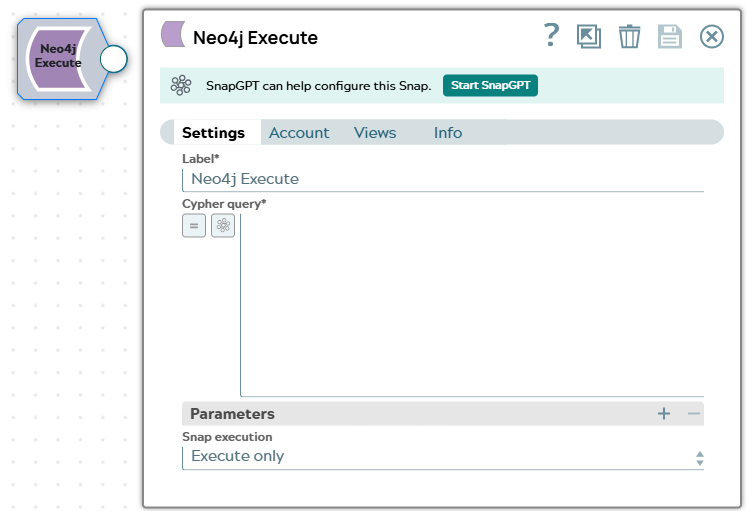
The Neo4j Execute Snap runs an arbitrary Cypher query against your Neo4j database, with optional query parameters.
Use this Snap for operations that the label-based Snaps in this Snap Pack do not cover, such as creating relationships, running multi-clause traversals, or issuing schema statements. Bind values into the query with the Parameters field set rather than concatenating them into the query text.
- This is a Write-type Snap.
Supported Accounts
Snap views
| Type | Description | Examples of upstream and downstream Snaps |
|---|---|---|
| Input |
This Snap has at most one document input view. When connected, field values from the incoming document can be bound to query
parameters or referenced in expression-enabled fields using the
|
|
| Output |
This Snap has one document output view. Each record returned by the Cypher query is emitted as a separate document. A query that returns no records emits a single document reporting the query summary. |
|
| Learn more about Error handling. | ||
Snap settings
| Field/Field set | Description |
|---|---|
Label* String |
Specify a unique name for the Snap. Modify this to be more appropriate, especially if more than one of the same Snaps is in the pipeline. Default value: Neo4j Execute |
Cypher query*
String/Expression |
Enter the Cypher query to run. Reference each entry in the
Parameters field set by name, prefixed with
Default value: None Example: |
| Parameters |
Use this field set to bind values to the named parameters in the Cypher query field. Add one row per parameter. |
Parameter name
String |
Enter the name of the parameter as referenced in the Cypher query, without the
Default value: None Example: |
Parameter value
String/Expression |
Enter the value to bind to the parameter, or an expression that resolves to the value from the incoming document. Default value: None Example: |
|
Snap execution Dropdown list
|
Choose one of the three modes in
which the Snap executes. Available options are:
Default value: Execute only |
Troubleshooting
| Error | Reason | Resolution |
|---|---|---|
| Neo4j operation failed | The Cypher query contains a syntax error, references a label or property that does not exist, or the account does not have sufficient permissions for the operation. | Review the Cypher query for syntax errors. Verify that all referenced labels and properties exist in the database. Confirm the account has the required privileges for the statement type. |
| Neo4j operation failed on parameterized query | Dynamic values are concatenated into the query text instead of bound as named parameters, causing type or syntax mismatches. | Use the Parameters field set to bind values. Reference
each parameter in the query as $name rather than embedding values
directly in the query string. |