


Processing Different Input Documents
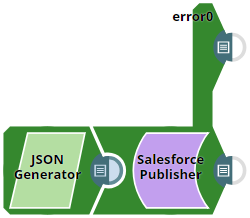
This Pipeline demonstrates how the Salesforce Publisher Snap processes three different input documents. The first document is a valid record. The second document has one required field that is missing. The third document contains an extra field that is not a part of the field defined in the Event object.
Download this Pipeline
Configure the Salesforce Publisher Snap as shown in the pipeline and run the pipeline to see the results.
- Download and import the SLP file into your Environment.
- Configure Snap accounts.
- Provide Pipeline parameters, if any.