


Create a New Bulk Record in Salesforce Object
This example demonstrates how to create a new bulk record in a Salesforce object.

Download this Pipeline
-
Configure the Mapper Snap to pass the input data to the Salesforce Bulk Create Snap:
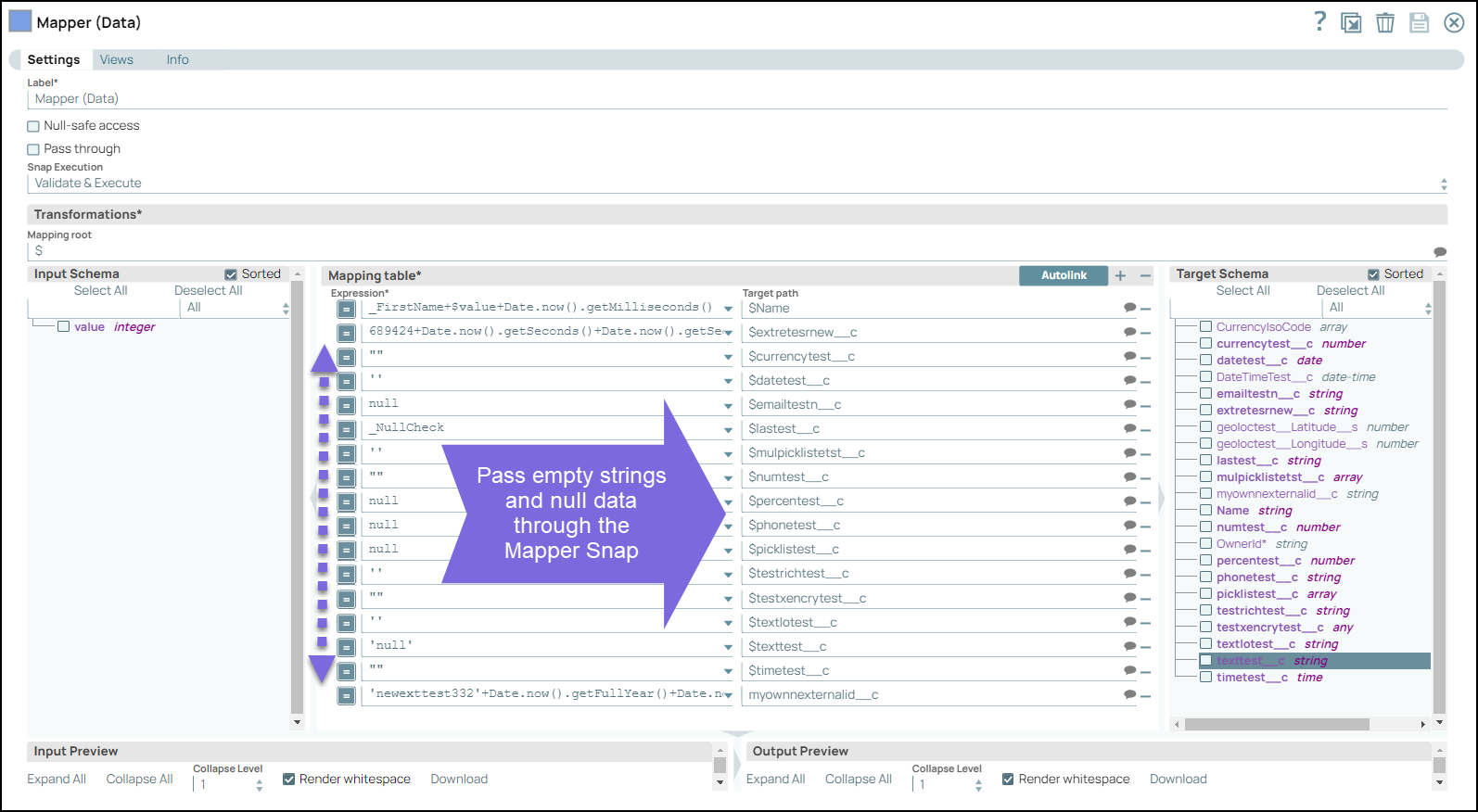
-
The Salesforce Bulk Create Snap adds new documents to Salesforce.com. Configure the Snap with the appropriate settings:

-
Configure the Salesforce Bulk Create Snap settings:
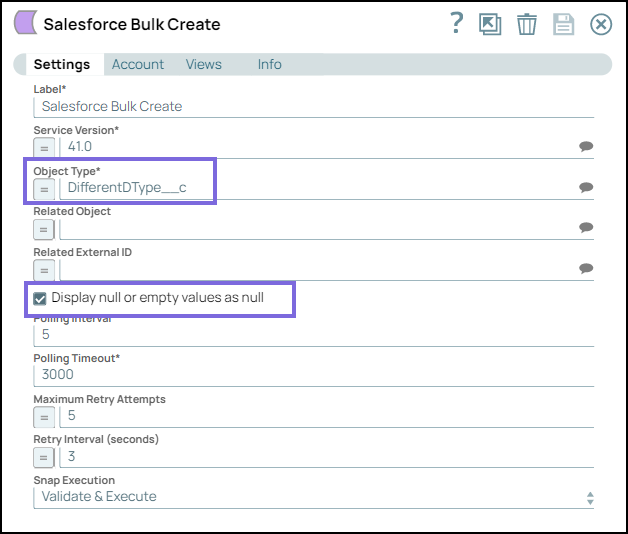
-
On validating the Snap, the empty and null values are displayed as configured:

-
The output from the Snap displays the new document names, ID, and customized serial numbers:

- Download and import the SLP file into your Environment.
- Configure Snap accounts.
- Provide Pipeline parameters, if any.