


Path mappings in upstream Mapper
The following Pipeline illustrates the path mappings needed for writing multiple records using DynamoDB Bulk Write Snap.
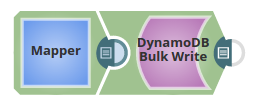
Download this pipeline.
To write multiple records into a DynamoDB table, you must first define by using the mappings in the Mapper Snap, the mappings between incoming data and the DynamoDB table schema.
- Ensure the Target path in the Mapping table contains
$PutRequest.Item.preceding every mapping entry. This prefix is mandatory to update the DynamoDB table using this Snap. - The entry in the target path must follow the syntax:
$PutRequest.Item.<column>.<datatype>., both for creating and updating the respective column in the target table. - For any DynamoDB table target, the Target Schema displays only the (primary) key column details irrespective of the number of mappings defined.
$PutRequest.Item.id.S, $PutRequest.Item.Map.M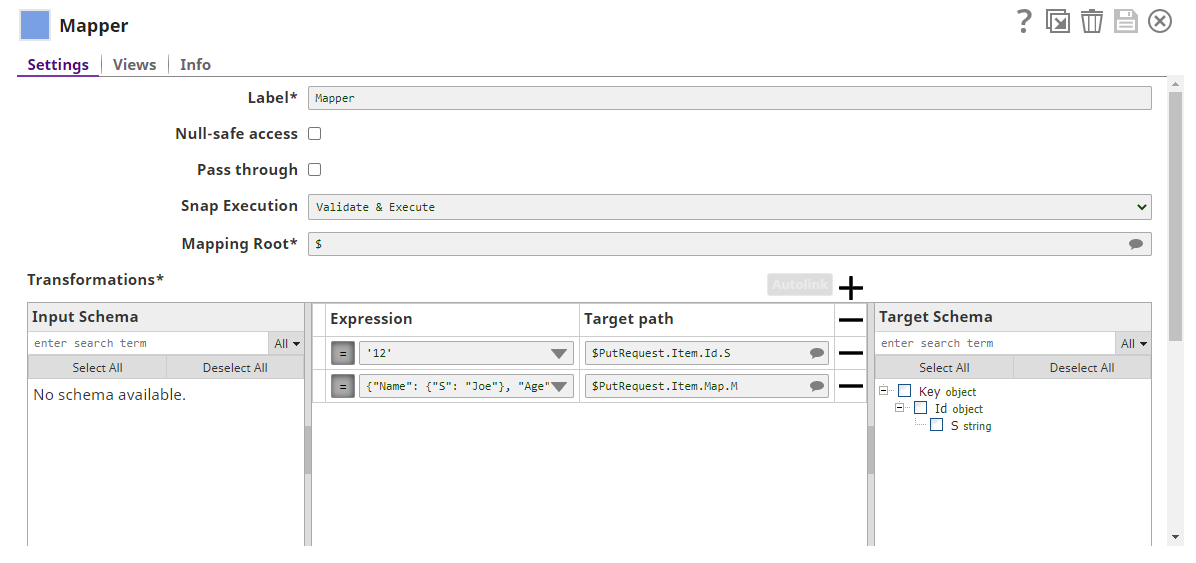
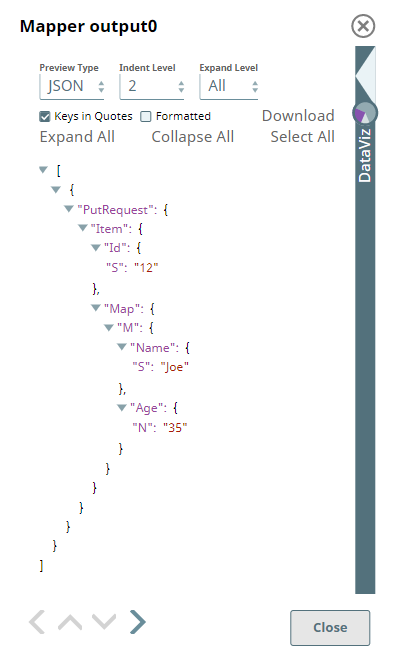
The Mapper generates the mappings output for DynamoDB Bulk Write Snap.
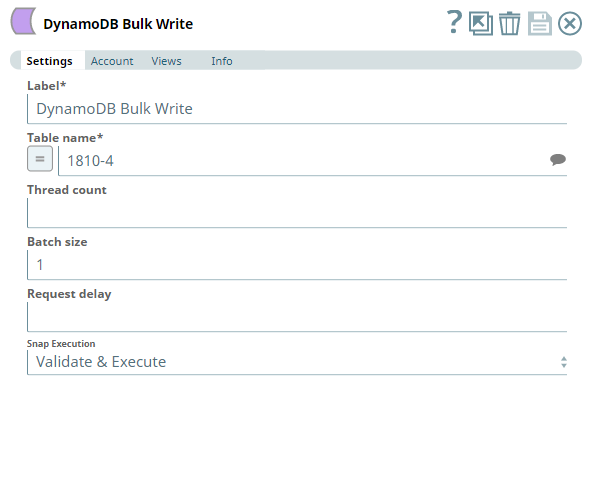
After selecting an appropriate account to connect to the DynamoDB database, define the target table name for the DynamoDB Bulk Write Snap.
Upon validation, the DynamoDB Bulk Write Snap generates the output preview similar to the following image. It contains the name of the table to be updated, the columns, and the respective values.
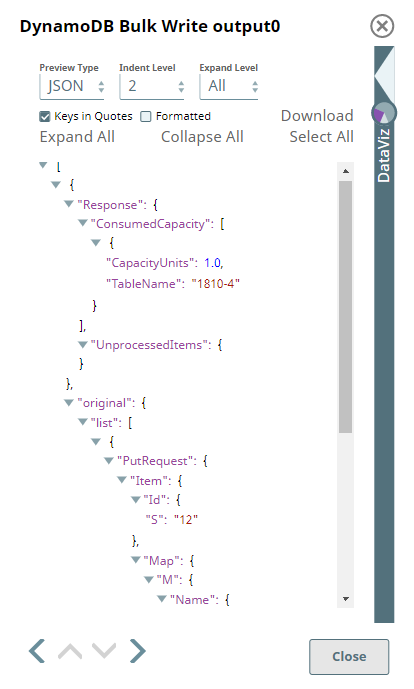
Upon execution, the Pipeline inserts multiple records into the specified DynamoDB table, with values defined in the Mapper output.