


JMS Acknowledge
Overview
This Snap is used to acknowledge the Java Message Service (JMS) messages read by a JMS consumer used in the upstream Snap. This Snap should always be used in conjunction with the JMS Consumer Snap in a Pipeline. The JMS Consumer Snap should have the Acknowledgement mode set to CLIENT_ACKNOWLEDGE and Processing mode set to Synchronous.
- Client Acknowledge: When a message is read, the client acknowledges the message.
- Auto Acknowledge: The messages are acknowledged automatically (by user) after the message is read.
Learn more about Message Acknowledge Modes.
Examples
- This is a Read-type Snap.
 Works in Ultra Tasks
Prerequisites
- A valid account with the required permissions.
Snap views
| Type | Description | Examples of upstream and downstream Snaps |
|---|---|---|
| Input |
This Snap optionally accepts the JMS MessageID of the JMS message consumed by the
JMS Consumer Snap upstream.
|
|
| Output |
This Snap writes the JMS MessageID received to output view if present.
|
|
| Learn more about Error handling. | ||
Snap settings
| Field/Field set | Description |
|---|---|
Label*
String |
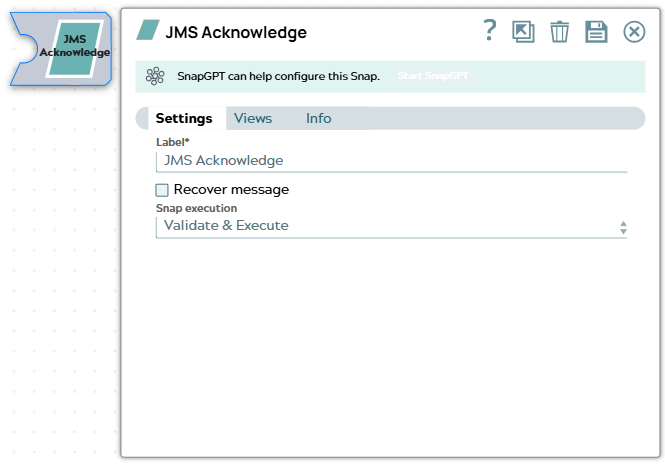
Specify a unique name for the Snap. Default value: JMS Acknowledge Example: JMS Acknowledge |
Recover message
Checkbox |
Optional. Select this option to explicitly place a message back in the JMS queue to recover messages. Note: If the Snap fails to read the JMS messages for processing, you can recover those messages by selecting the Recover message checkbox so that the Snap can read the messages additional times for further processing.
Default value: Not selected |
Snap execution
Dropdown list |
Choose one of the three modes in
which the Snap executes. Available options are:
|
Temporary files
During execution, data processing on Snaplex nodes occurs principally in-memory as streaming and is unencrypted. When processing larger datasets that exceed the available compute memory, the Snap writes unencrypted pipeline data to local storage to optimize the performance. These temporary files are deleted when the pipeline execution completes. You can configure the temporary data's location in the Global properties table of the Snaplex node properties, which can also help avoid pipeline errors because of the unavailability of space. Learn more about Temporary Folder in Configuration Options.