


Use Case: MySQL Stored Procedure - Basic
Basic Use Case 1
The following pipeline describes how the MySQL Stored Procedure Snap functions as a standalone Snap in a pipeline:
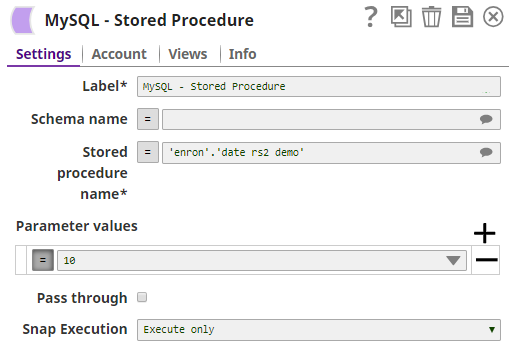
In this pipeline the stored procedure 'date_rs2_demo' from the 'enron' schema is invoked using the MySQL Stored Procedure. The stored procedure is as below:
CREATE DEFINER=`mysqlqatest`@`%` PROCEDURE `date_rs2_demo`(IN inparam INT, OUT dc date, OUT dtc datetime, OUT tsc timestamp)
      BEGIN
           select dateC INTO dc from DateTypesDemo limit 1;
           select datetimeC INTO dtc from DateTypesDemo limit 1;
           select timestampC INTO tsc from DateTypesDemo limit 1;
           select * from DateTypesDemo;
           select * from AVemployees;
      END
The value for the IN parameter is passed in the Parameter values property in the Snap.
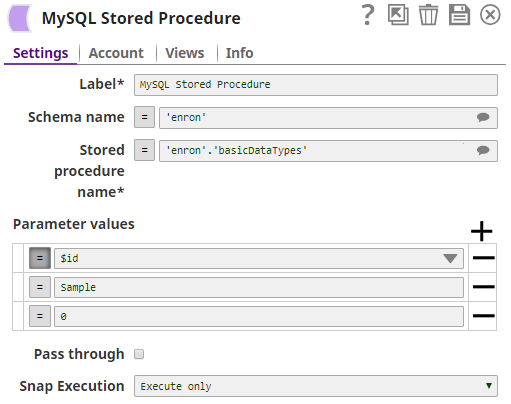
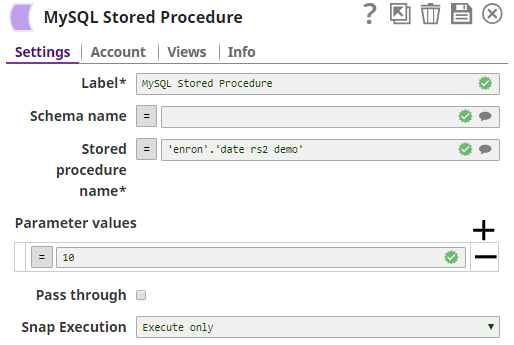
The output from the Snap are the OUT parameters and their values, and the result set from the output parameters as seen in the images below:
Basic Use Case 2
In this example, the parameter values are passed to the MySQL Stored Procedure through a Mapper.
In this case, the MySQL Stored Procedure Snap will invoke the following stored procedure:
DELIMITER $$
USE `enron`$$
DROP PROCEDURE IF EXISTS `basicDataTypes`$$
CREATE DEFINER=`mysqlqatest`@`%` PROCEDURE `basicDataTypes`(IN inParamInt INT, IN inParamVarchar VARCHAR(32), IN inParamBit BIT, OUT outParamInt INT, OUT outParamVarchar VARCHAR(32), OUT outParamBit BIT)
       BEGIN
            SET outParamInt= inParamInt;
            SET outParamVarchar= inParamVarchar;
            SET outParamBit= inParamBit;
       END$$
DELIMITER ;
In this stored procedure there is no result set; therefore, none will be generated when the pipeline is executed.
The Mapper Snap is used to pass the IN parameter's value to $id, the output preview can also be seen in the Output preview data section.
The MySQL Stored Procedure Snap is configured as shown below. One of the IN parameters is passed as an expression. This is the data received from the Mapper Snap.
As mentioned earlier, there will be no output result set because there is no result set from the stored procedure. The Result Set Output View will have no outputs and just the output parameters and their corresponding values will be shown by the Snap (in the Output Parameter output view).
Typical Snap Configurations
The key configuration lies in how the SQL statement is passed. In this Snap it is possible to pass the values in the following ways:
Without Expression
The values can be passed directly in the Snap.
With Expression
Using Pipeline Parameters:
The Parameter value is passed as a pipeline parameter.