


Upsert customer data from Salesforce to a BigQuery table
This example pipeline demonstrates how to update or insert (upsert) records in a Google BigQuery table using customer data from Salesforce.

Download this pipeline.
-
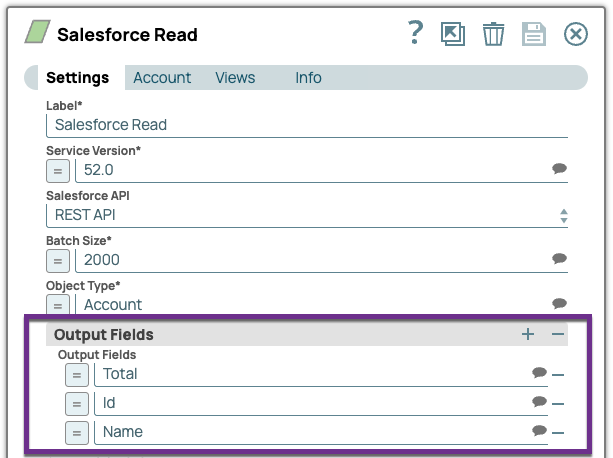
Configure the Salesforce Read Snap to read customer account data from Salesforce.
In this example, select Output Fields for Total, Id, and Name.
On validation, the Snap prepares the output to pass to the BigQuery Bulk Upsert Snap.
-
Configure the BigQuery - Bulk Upsert (Streaming) Snap to upsert data based on unique identifiers.
To upsert data based on the Id and Name key columns, enter Id and Name in the Key column fields.
On validation, the Snap updates or inserts new records into the Google BigQuery table.
BigQuery - Bulk Upsert (Streaming) Snap configuration BigQuery - Bulk Upsert (Streaming) Snap output 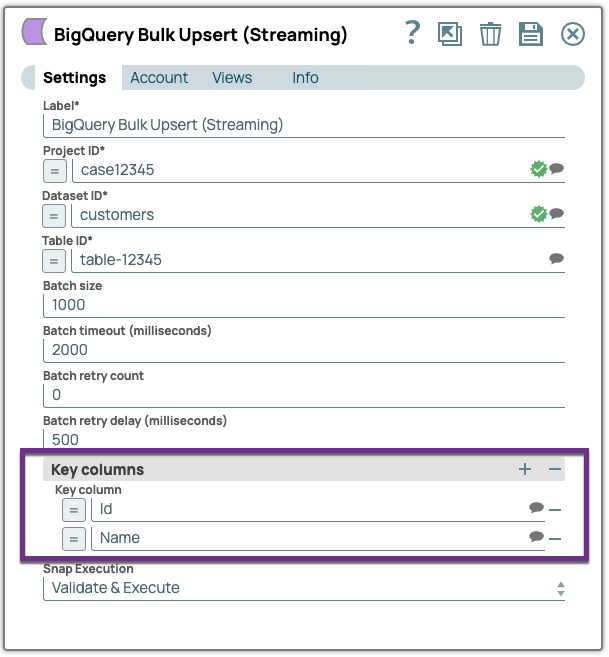
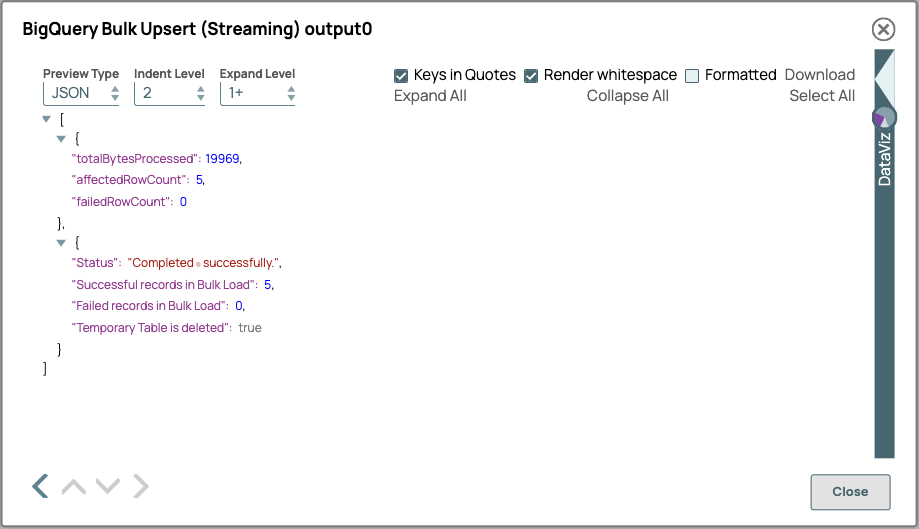
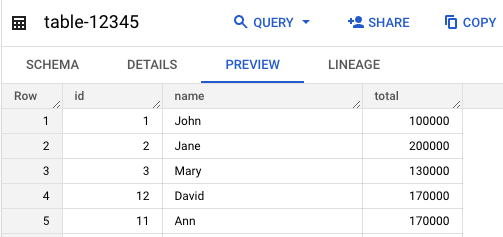
The output shows that 5 records were updated successfully. The data is updated in the Google BigQuery table based on the unique identifiers Id and Name.
- Download and import the pipeline into SnapLogic.
- Configure Snap accounts as applicable.
- Provide pipeline parameters as applicable.