


Box Create Group
create a new group in your Box.com account.
Overview
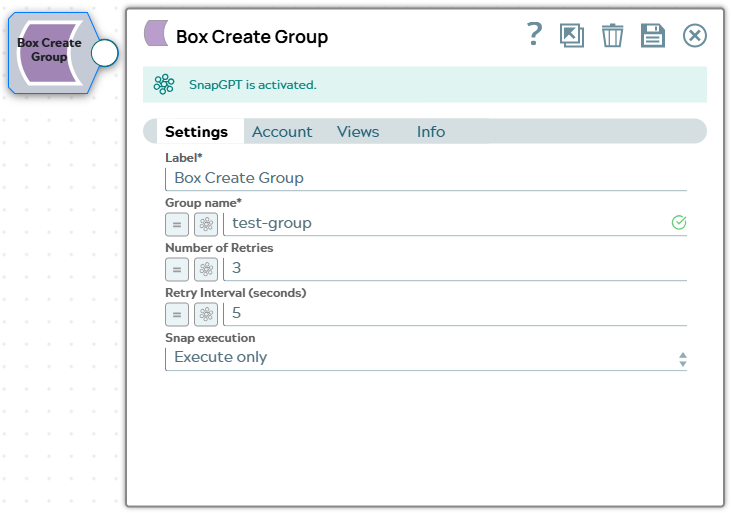
You can use this Snap to create a new group in your Box.com account.
 Write-type Snap
-
 Works in Ultra Tasks
Prerequisites
- Enable in Box the scope to Manage an enterprise to perform enterprise management.
Support and limitations
Works in Ultra Tasks.
Snap Views
| Type | Description | Examples of upstream and downstream Snaps |
|---|---|---|
| Input | The input is optional. You can connect an upstream Snap to dynamically pass the
group name at runtime using expressions (exampe,
$groupName). |
|
| Output | This Snap has exactly one document output view. The exact fields returned depend on the Box API response. | |
| Learn more about Error handling. | ||
Snap settings
Note: Learn about
the common controls in the Snap settings dialog.
| Field/Field set | Description |
|---|---|
|
Label String
|
Required. The name for the Snap. You can modify this to be more specific, especially if you have more than one of the same Snap in your pipeline. |
|
Group name String
|
Required. The desired name for the group to be created.
Default value: None. Example: test-group |
|
Number of retries Integer
|
Enter the integer value to specify the number of attempts the Snap makes to
perform the selected operation in case of connection failure or timeout. Minimum value: 0 Default value: 3 Example: 3 |
|
Retry interval (seconds) Integer
|
Enter the time interval in seconds between retry attempts. Minimum value: 1 Default value: 5 Example: 3 |
|
Snap execution Dropdown list
|
Choose one of the three modes in
which the Snap executes. Available options are:
Default value: Execute only |