


Deleting a topic using its Topic ARN
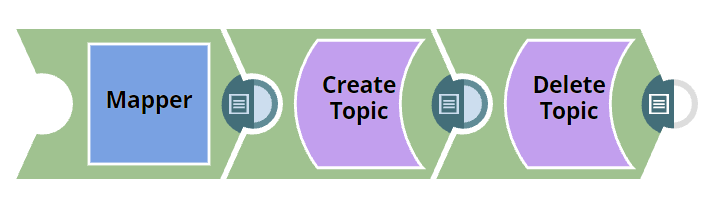
This example demonstrates how to create a topic and then delete it by providing its Topic ARN using the Amazon SNS - Delete Topic Snap.
In this example, we create a topic with the Mapper Snap and the Create Topic Snap and then delete the topic by giving its Topic ARN.
-
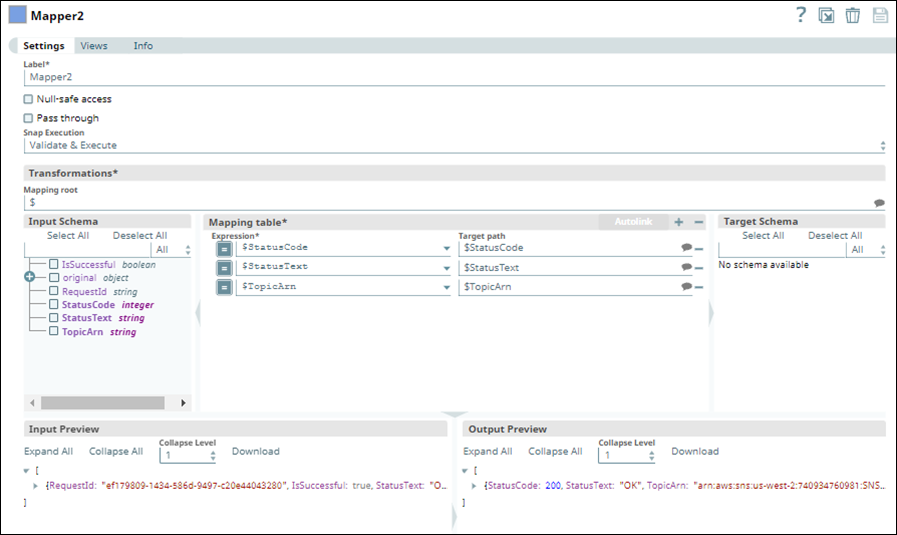
Configure the Mapper Snap with the topic name and other details.
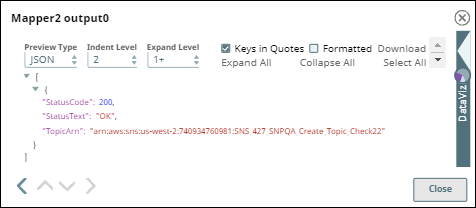
A topic name and the topic details are given as inputs to the Create Topic Snap. The Mapper Snap is configured with the following details, and the output view is displayed as follows:
-
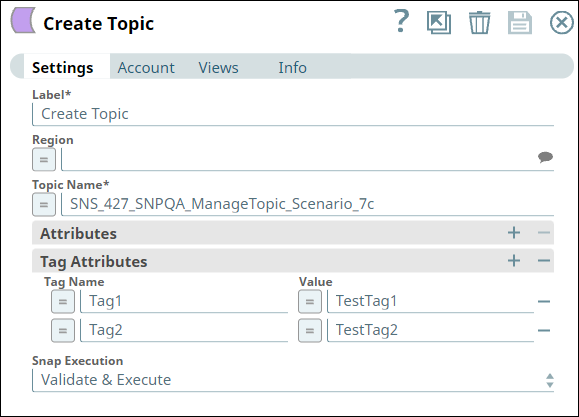
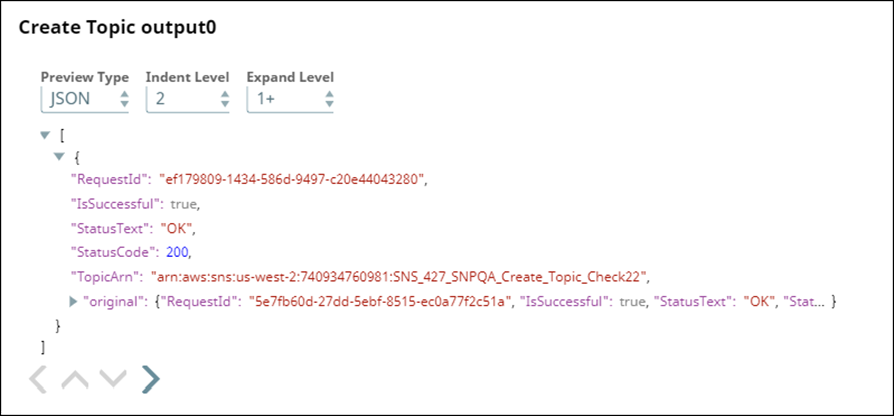
Configure the Amazon SNS - Create Topic Snap with the required attributes and tag attributes.
The output view of the Snap is displayed as follows:
-
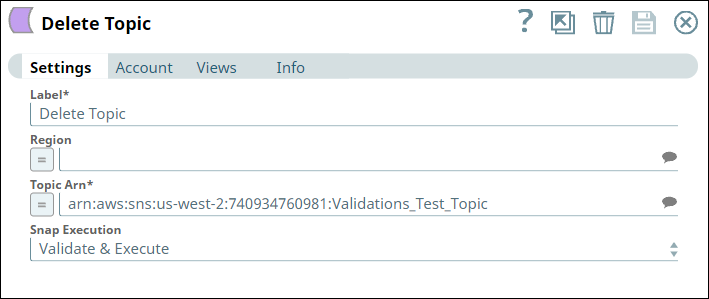
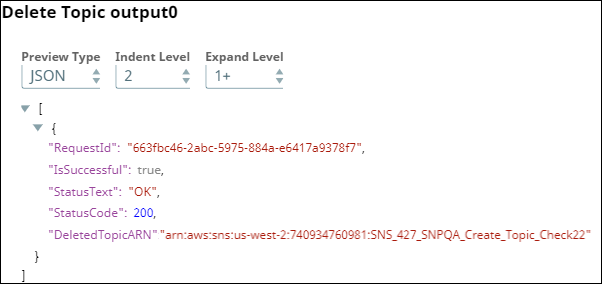
Configure the Amazon SNS - Delete Topic Snap to delete the topic by giving the Topic ARN.
The Snap Settings and the output view of the Snap are displayed as follows:
- Download and import the SLP file into your Environment.
- Configure Snap accounts.
- Provide Pipeline parameters, if any.