


Delete a table from BigQuery
This example pipeline demonstrates how to delete a table from Google BigQuery using the BigQuery Table Delete Snap.
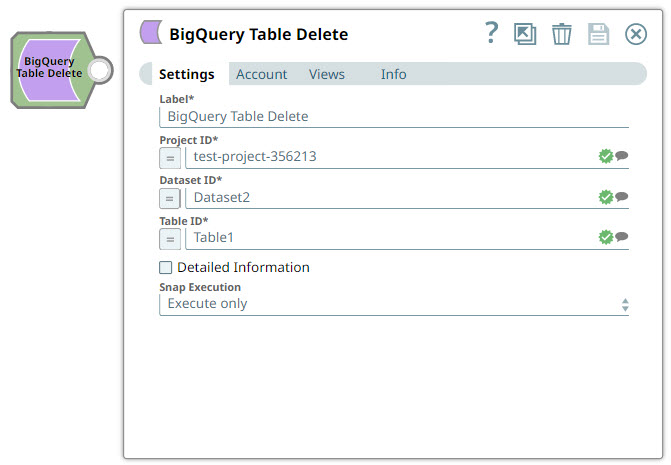
Download this pipeline.
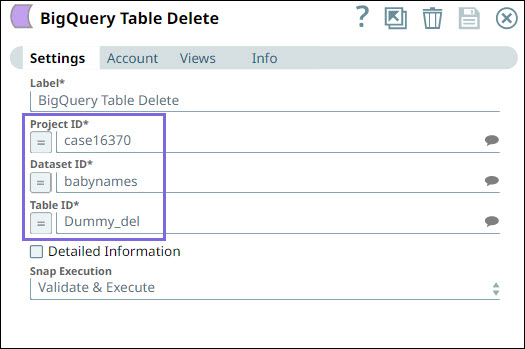
Configure the BigQuery - Table Delete Snap to delete a table.
Specify the Project ID, Dataset ID, and Table ID of the table to delete.
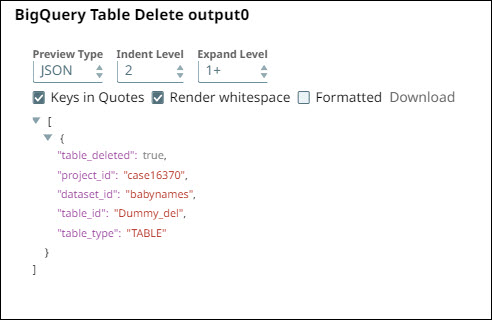
On validation, the Snap deletes the table and displays the operation status.
| BigQuery - Table Delete Snap configuration | BigQuery - Table Delete Snap output |
|---|---|
 |
 |
- Download and import the pipeline into SnapLogic.
- Configure Snap accounts as applicable.
- Provide pipeline parameters as applicable.