


Configure an automatic reply
This example demonstrates configuring an automatic reply for emails
received in the inbox.
Download this Pipeline
-
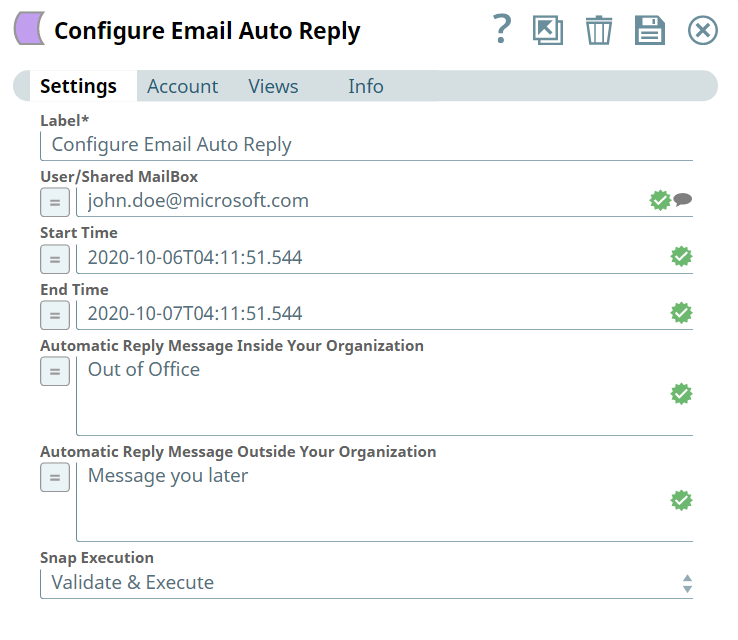
Configure the Configure Email Auto Reply Snap as follows:
-
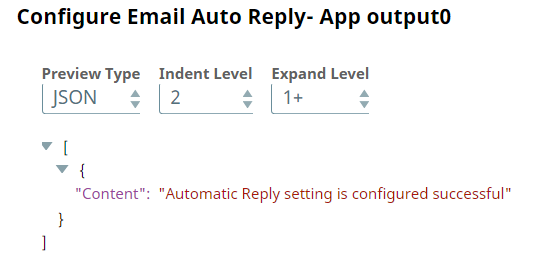
Validate the Snap. Upon validation, you can see an output confirming that the
auto-reply configuration is successful.
- Download and import the pipeline into SnapLogic.
- Configure Snap accounts as applicable.
- Provide pipeline parameters as applicable.