


Deleting a Message Sent through Programmable SMS
In this example, we want to delete a message record sent through Programmable SMS using the Twilio Delete Snap. To use this example, you must have a valid Twilio Account (see Configure Twilio Accounts) and a Twilio phone number (including a trial phone number). You should also have sent at least one message with that Twilio phone number.

Download this pipeline.
-
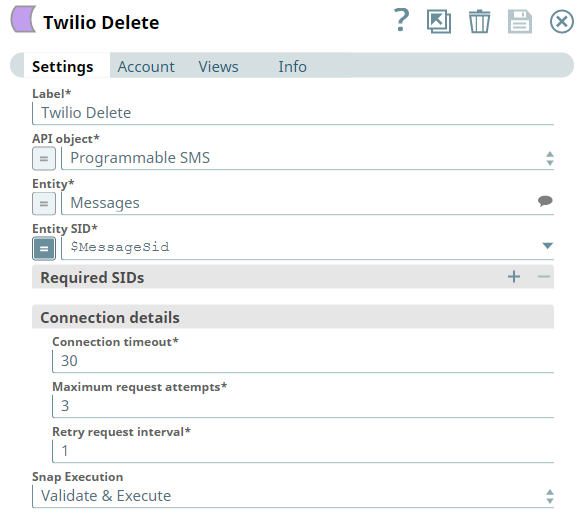
Configure the Twilio Delete Snap with the following settings:
- API object: Programmable SMS
- Entity: Messages
- Entity SID:
$MessagesSid
In the Entity SID field you must provide the message SID retrieved from your own account. Here, we can use an expression to capture the message SID from the upstream document generated by the Mapper Snap.
-
Configure the Mapper Snap.
Edit the Target path and provide a
$MessageSidexpression in the Mapper snap.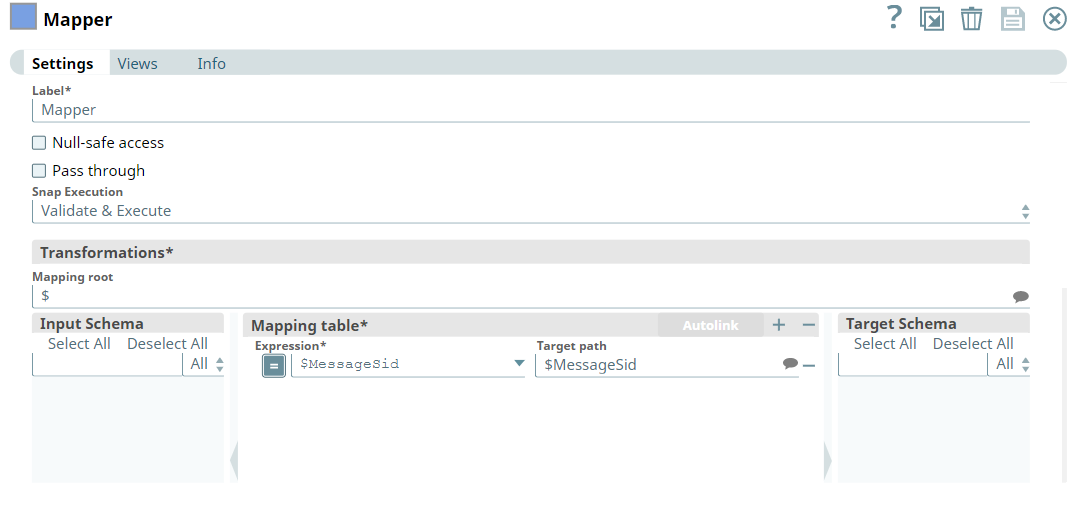
-
Configure the JSON
Generator Snap.
Edit the JSON text in the JSON Generator Snap and provide a valid message SID retrieved from the Twilio account.
Note: You must provide a valid message SID retrieved from the Twilio account, else the Snap will not execute successfully.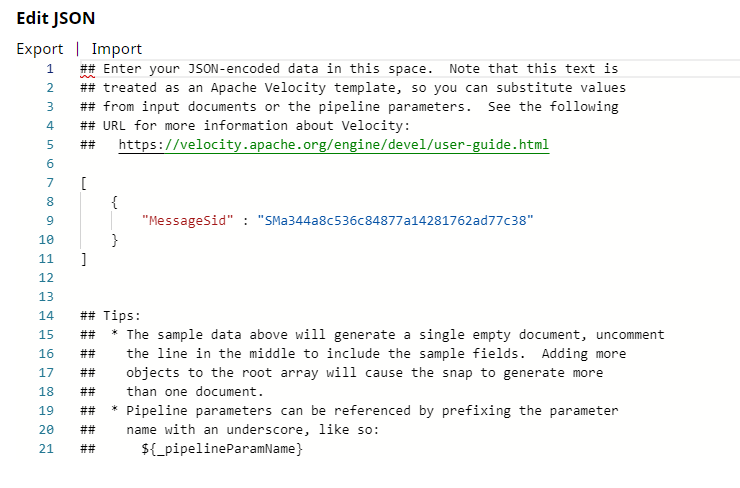
-
Run the pipeline.
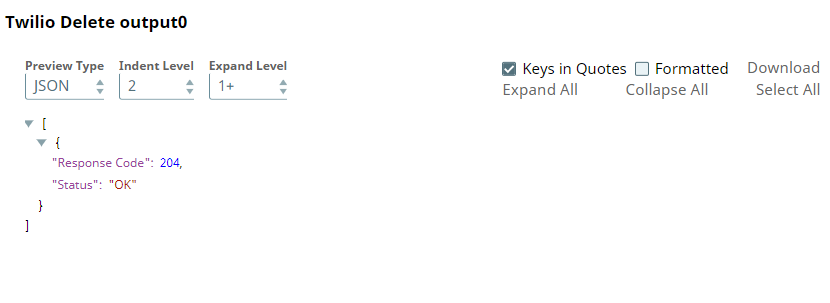
A successful validation of this pipeline results in the following API response in the output view of the Twilio Delete Snap, which we later convert into XML format and stream to an XML Formatter Snap. You should be able to see the XML file in the project workspace.
To reuse this pipeline in your environment:
- Download and import the Pipeline into SnapLogic.
- Configure Snap accounts as applicable.
- Provide a valid Twilio message SID in the JSON Generator Snap.