


Retrieve daily execution metrics
GET https://{controlplane_path}/api/1/rest/public/runtime/api-stats/{env_org}/dailyThis API retrieves the daily metrics of pipeline executions on the specified date.
plexnode.pipeline.* metric family for time-series analysis in your
monitoring backend.Prerequisites
- Environment (Org) admin permissions
Path parameters
| Key | Description |
|---|---|
controlplane_path |
Required. The SnapLogic control plane host:
elastic.snaplogic.com (US) or
emea.snaplogic.com (EU). |
env_org |
Required. The name of the SnapLogic environment/Org. For example,
My-Dev-Env |
Query parameters
| Key | Type | Description |
|---|---|---|
date |
string | The date in UTC format (YYYY-MM-DD).
|
Request header
Basic authentication
To use basic authentication, specify Basic for authorization in the request
header, add your credentials (email and password for your SnapLogic user or service account), and
specify application/json for content type. For example:
Authorization: Basic {base64_encoded <email>:<password>}
Content-Type: application/json
Example of basic authentication using Postman:
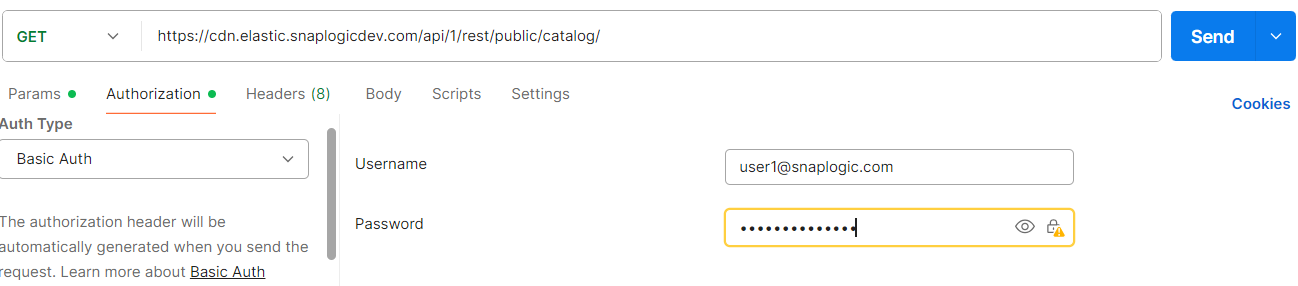
Learn more about the basic authentication header in REST API requests.
JWT authentication
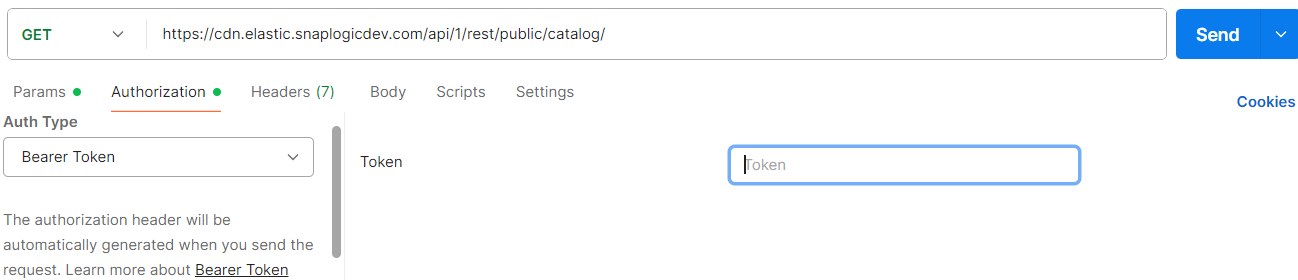
When using JWT authentication, the API request includes specific headers. In the request header,
specify Bearer Token for authorization, add the token, and specify
application/json for content type. These headers are automatically added when
you configure bearer token authentication in your API client. The authorization header contains
the word Bearer followed by a space and your JWT.
Authorization: Bearer Token {token}
Content-Type: application/json
Example of JWT authentication using Postman:
Request body
None.
Response
 {
  "response_map": {
    "date": "...",
    "organization": "...",
    "top_tasks": [
      {
        "task_id": "...",
        "task_name": "...",
        "task_path": "...",
        "task_owner": "...",
        "api_count": ...
      }
    ],
    "task_count": ...,
    "daily_call_used": ...,
    "daily_call_available": ...
  },
  "http_status_code": 200
}
| Key | Type | Description |
|---|---|---|
date |
string | The date when the statistics were collected. Format: UTC |
organization |
string | The name of the SnapLogic Environment/Org. |
top_tasks |
array | An array of objects containing metadata about the top 10 tasks that consumed API calls. |
task_count |
integer | The number of tasks that were executed in the current day. |
daily_call_used |
integer | The number of pipeline executions that were executed in the current day. |
daily_call_available |
integer | The difference between the daily limit for pipeline executions and the number of pipelines that were already executed during the day. |