


Update collection in MongoDB
This example pipeline demonstrates how to update a MongoDB collection with data from an upstream Snap using update query conditions.
-
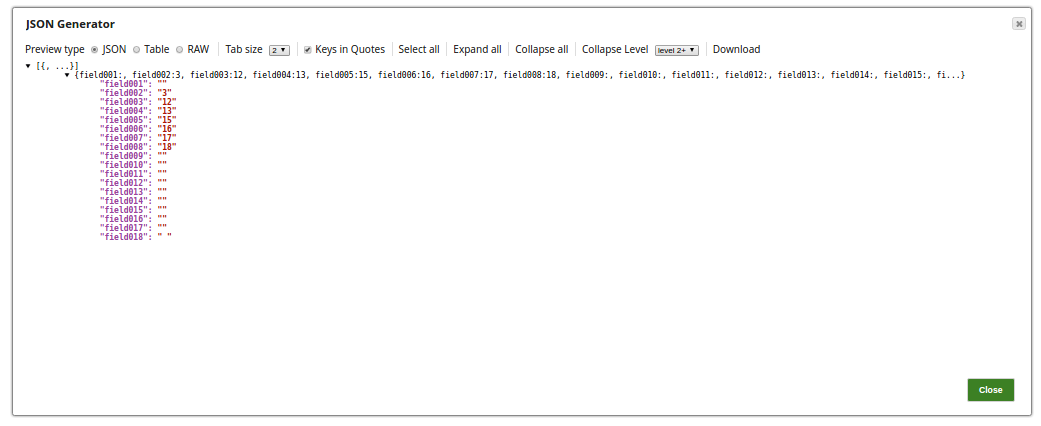
Configure the JSON Generator Snap with the data to be updated to the MongoDB collections.
-
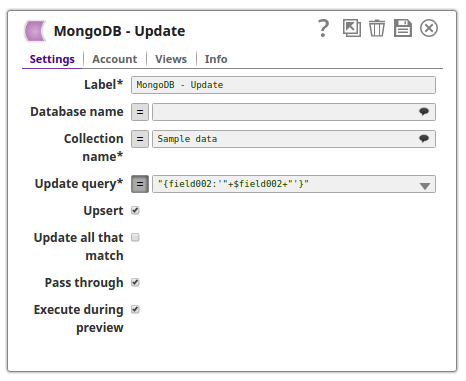
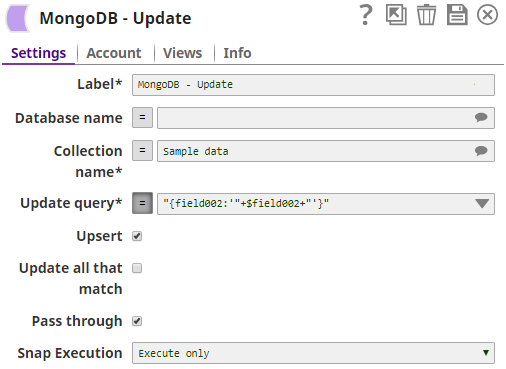
Configure the MongoDB Update Snap with the collection name, Sample data, to be updated with the values just passed from the upstream JSON Generator Snap.
The update query condition
"{field002:'"+$field002+"'}"is passed (with the expression enabled) to update the documents in the collection..png)
-
Validate the pipeline.
The successful execution of the pipeline displays the output preview showing the updated documents.
- Download and import the pipeline into SnapLogic.
- Configure Snap accounts as applicable.
- Provide pipeline parameters as applicable.