


Read Community Topics
Overview
The Read Community Topics Snap retrieves community topic records from your Zendesk instance, with an optional filter by topic ID.
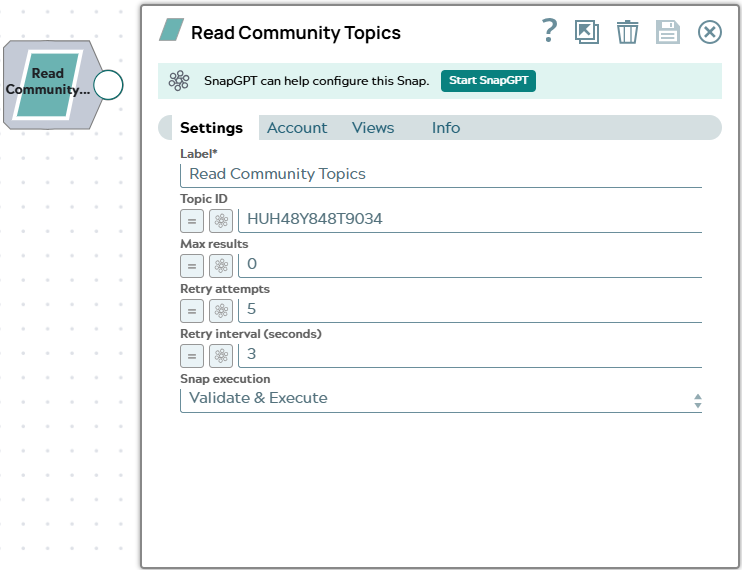
Each community topic is emitted as a separate document on the output view. Topics are the category containers that group community posts in the Zendesk Help Center. Use the Topic ID field to retrieve a single specific topic, or leave it empty to retrieve all topics. Use the Max results field to limit the number of documents emitted.
- This is a Read-type Snap.
 Works in Ultra Tasks
Supported Accounts
Prerequisites
None.
Snap views
| Type | Description | Examples of upstream and downstream Snaps |
|---|---|---|
| Input |
This Snap has at most one document input view. When connected, field values from the incoming document can be referenced
in expression-enabled fields using the |
|
| Output |
This Snap has one document output view. Each community topic is emitted as a separate document. |
|
| Learn more about Error handling. | ||
Snap settings
| Field/Field set | Description |
|---|---|
Label* String |
Specify a unique name for the Snap. Modify this to be more appropriate, especially if more than one of the same Snaps is in the pipeline. Default value: Read Community Topics |
Topic ID
String/Expression |
Enter the numeric Zendesk community topic ID to retrieve a single specific topic. Leave empty to retrieve all community topics in the Zendesk instance. Default value: None Example: |
Max results
Integer/Expression |
Specify the maximum number of community topic
records to emit per execution. Enter Default value: 0 Example: |
Retry attempts
Integer/Expression |
Enter the number of times the Snap should
retry the API call on connection errors or 5xx responses. On a 429 response,
the Snap automatically retries after the interval specified in the server's
Default value: 5 Example: |
Retry interval (seconds)
Integer/Expression |
Enter the number of seconds to wait between retry attempts. Default value: 3 Example: |
|
Snap execution Dropdown list
|
Choose one of the three modes in
which the Snap executes. Available options are:
Default value: Validate & execute |