Publish, Consume, and Acknowledge Messages with Client Acknowledge Mode

The following example pipeline demonstrates how to generate test messages, send them to an IBM MQ queue, consume them with client acknowledgement mode, and acknowledge the received messages.


Pipeline that publishes, consumes, and acknowledges an IBM MQ message in client acknowledgment mode

  1. Configure the Sequence Snap to generate a sequence of numeric values used as unique identifiers for messages.
  2. Configure the Mapper Snap to map the sequence value to the id field and set a static message field to Client Acknowledgement.
  3. Configure the Join Snap to perform an inner join between the main data stream and the queue name stream from Segment 2.
  4. Configure the Mapper Snap to map the queue, id, and message fields from the joined input to the output document.
  5. Configure the IBM MQ Producer Snap to publish the message to the consumer_clientAck queue. Set the MQMD properties to specify CorrelId and MsgId, and set the transaction control to no syncpoint.
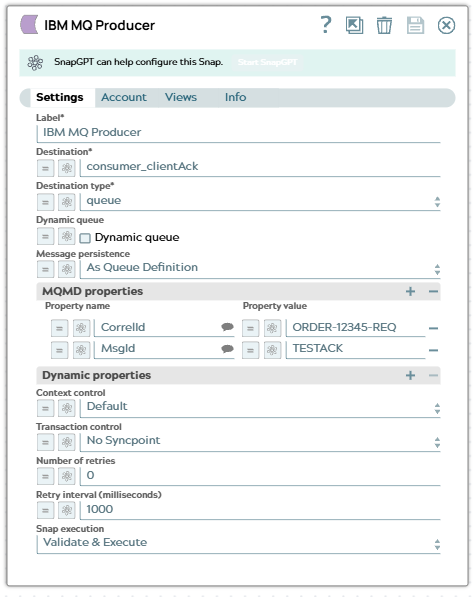
    IBM MQ Producer Snap configuration showing queue name and MQMD properties

  6. Configure the Mapper Snap to map the original queue name field to a new queue field for use in subsequent processing.
  7. Configure the Head Snap to limit the number of documents passed downstream to a single message.
  8. Configure the IBM MQ Consumer Snap to consume a message from the specified queue. Set the Message acknowledgment mode to Client acknowledge.
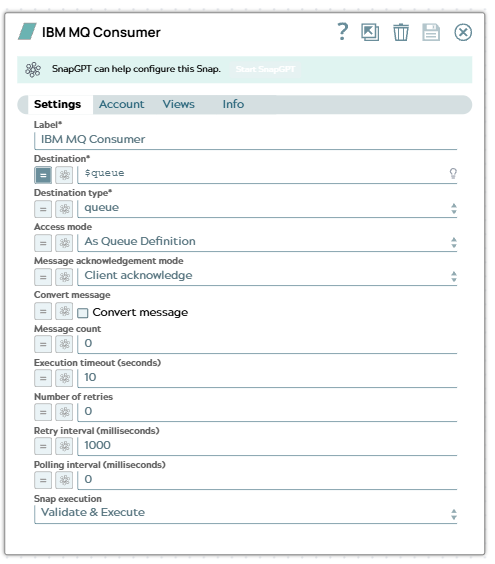
    IBM MQ Consumer Snap configuration showing Message acknowledgment mode set to Client acknowledge

  9. The IBM MQ Consumer Snap displays the following output with the CorrelationId and MessageId fields from the consumed message.

    IBM MQ Consumer Snap output showing CorrelationId and MessageId fields

  10. Configure the Mapper Snap to map the CorrelationId and MessageId fields from the consumed message to the output document before passing it to the IBM MQ Acknowledge Snap.
  11. Configure the IBM MQ Acknowledge Snap to acknowledge the consumed message to confirm successful processing to IBM MQ.
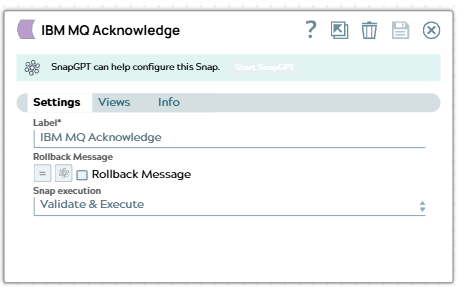
    IBM MQ Acknowledge Snap configuration

  12. On successful execution, the IBM MQ Acknowledge Snap produces the following output confirming the message was acknowledged.
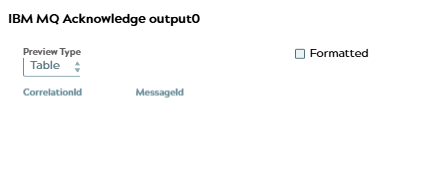
    IBM MQ Acknowledge Snap output confirming successful message acknowledgement

  13. In Segment 2, configure the JSON Generator Snap to produce a single trigger document.
  14. Configure the Mapper Snap to set a static queue field value of consumer_clientAck for use in the join operation with the main data stream.
To successfully reuse this pipeline:
  1. Download and import the pipeline into SnapLogic.
  2. Configure Snap accounts as applicable.
  3. Provide pipeline parameters as applicable.
