


Delete referenced file
This example pipeline demonstrates how to delete a file referenced by a dataset, and optionally the dataset itself once it is empty.
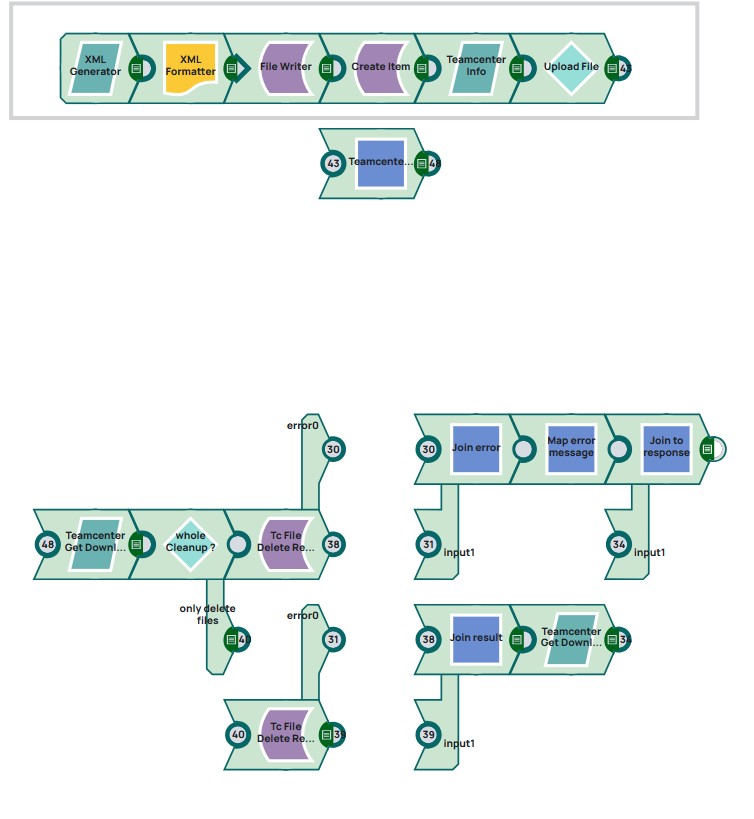
The Snaps 1 till 6 (marked with frame in picture) are copied from pipeline Create a part, upload and download a file and will not be explained again. They are a placeholder to create an object - file example in Teamcenter.
Steps
Pipeline has parameters to give contral to calling service. TeamcenterObjectID is the id of the existing object in Teamcenter which shall be cleaned up. The parameter “wholeCleanup” shall control if dataset shall be deleted if it is empty.

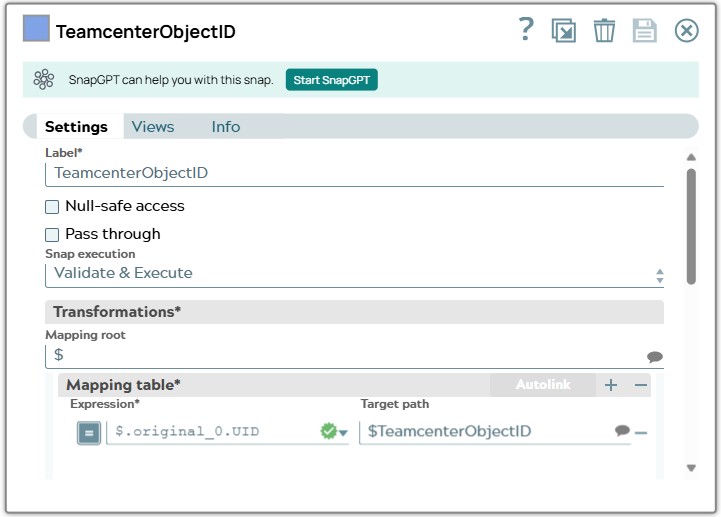
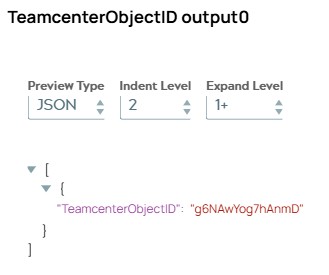
7: The Mapper Snap “TeamcenterObjectID” copies id of created object to variable “TeamcenterObjectID” to show that example pipeline only need this ID. On validation, the Snap displays the ID.
Snap configuration | Snap output |
|---|---|
 |  |
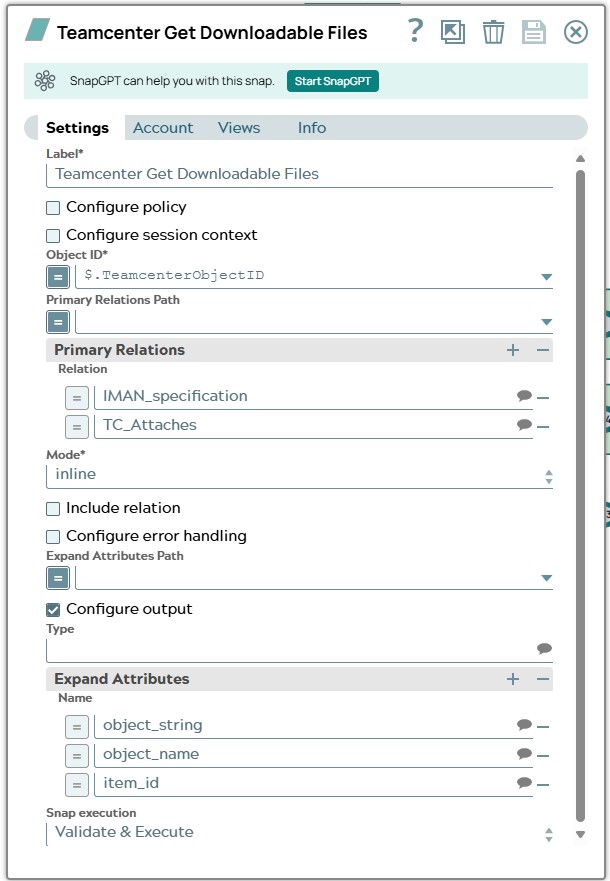
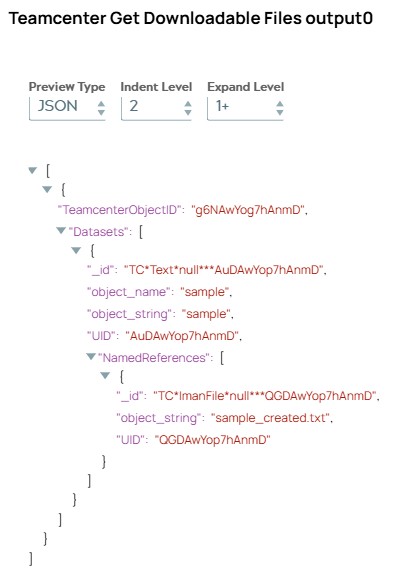
8: The Tc Get Downloadable Files Snap expands all datasets for configured relations including Files. On validation, the Snap displays Datasets list with one Dataset and its Files in “NamedReferences” list object. The influence of Modeinlinehas the effect that incomming document is extended with Datasets list.
Snap configuration | Snap output |
|---|---|
 |  |
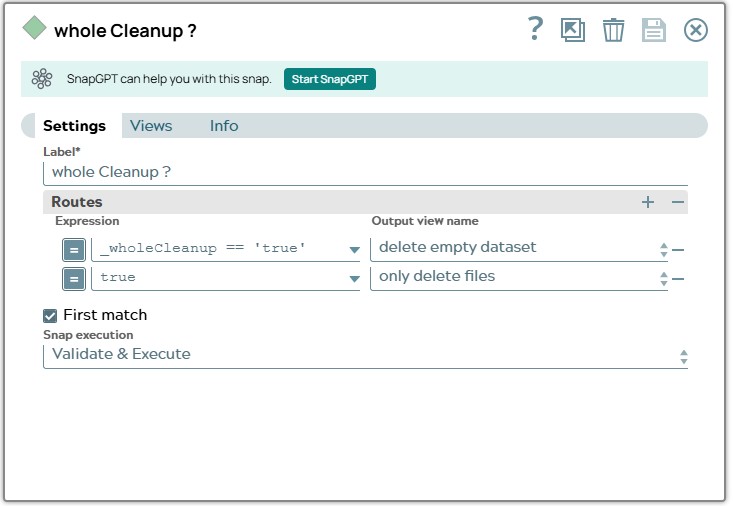
9: The Router Snap read parameter of pipeline to route document to path where only files of dataset will be deleted.
Snap configuration | |
|---|---|
 |
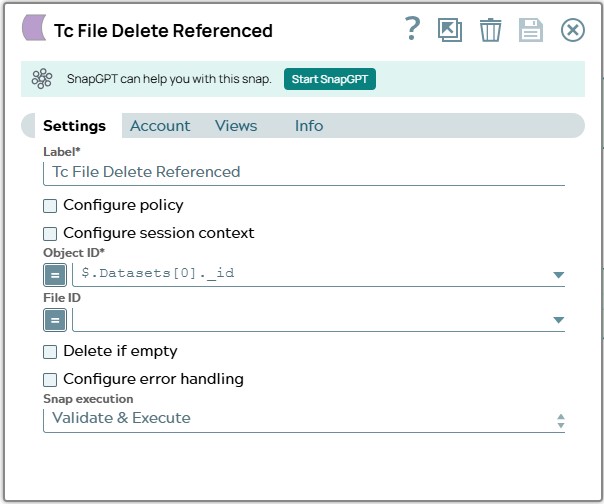
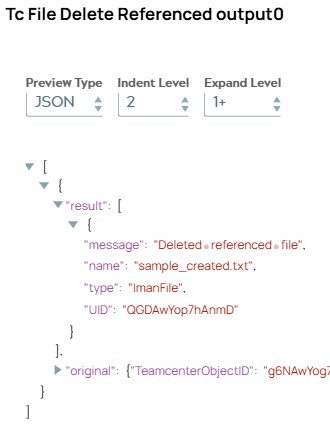
10: The Tc File Delete Referenced Snap is configured to delete all files (File ID field is empty) for first dataset. On validation, the Snap displays result including one object (since there was only one File referenced). This object has a message and UID of deleted file.
Snap configuration | Snap output |
|---|---|
 |  |
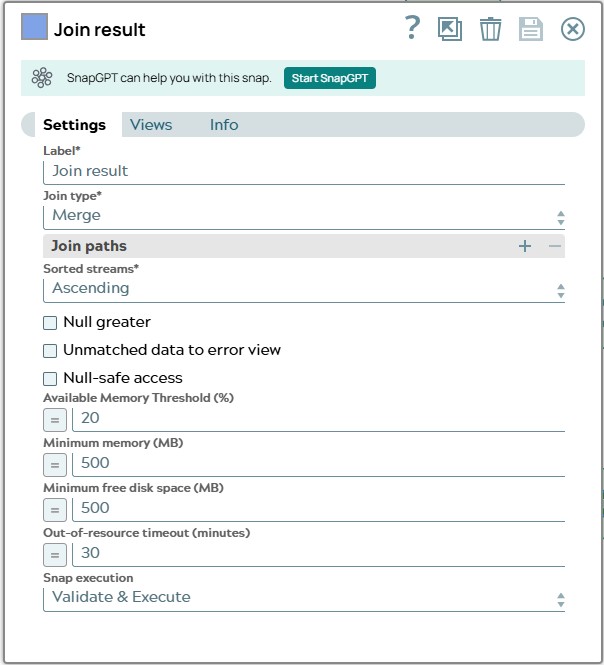
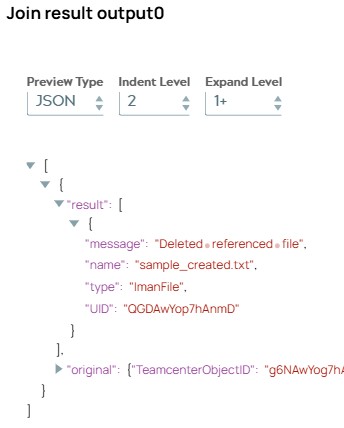
11: The Join Snap merges the pathes opened by Router Snap. On validation, the Snap displays the same document as the one from Tc File Delete Referenced.
Snap configuration | Snap output |
|---|---|
 |  |
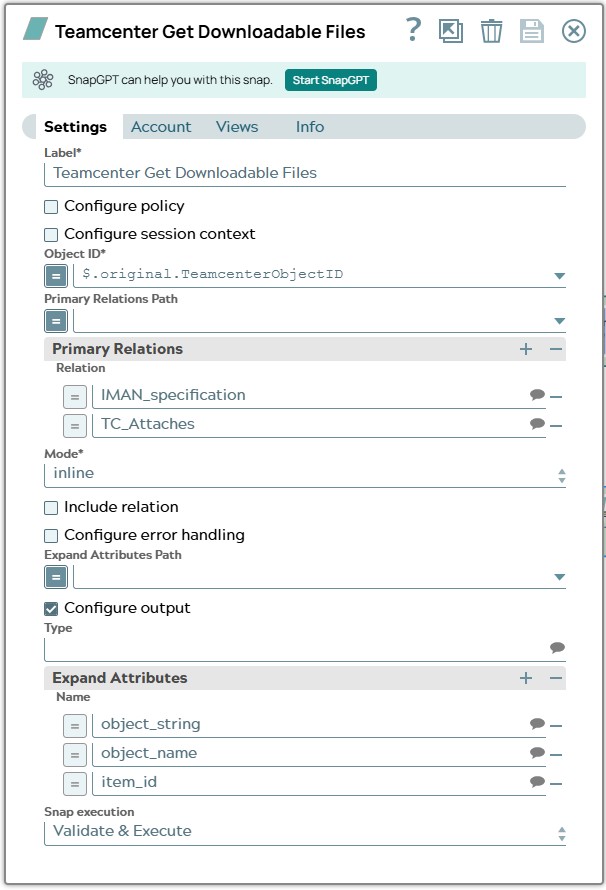
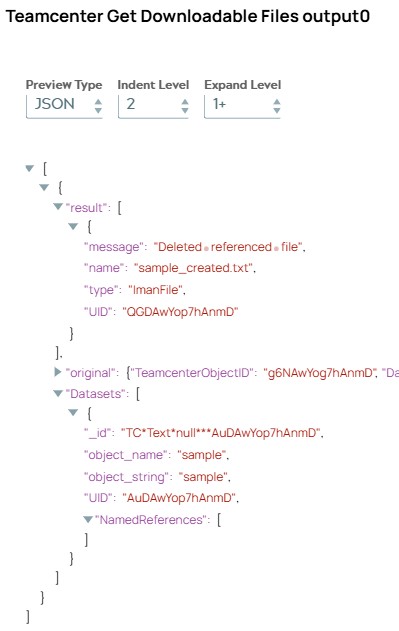
12: The Tc Get Downloadable Files Snap is configured to show Downloadables of original Teamcenter object to validate result of deletion. The influence of Modeinlinehas the effect that incomming document is extended with Datasets list. So on validation, the Snap shows incomming document enhanced with Datasets list. This list still includes the dataset but it has no referenced files anymore in “NamedReferences”.
Snap configuration | Snap output |
|---|---|
 |  |
13: The Join Snap at the end merges the outcome of succes result and the outcome of possibly happend errors. On validation, the Snap displays same document as the one from the Tc Get Downloadable Files Snap.
Snap configuration | Snap output |
|---|---|
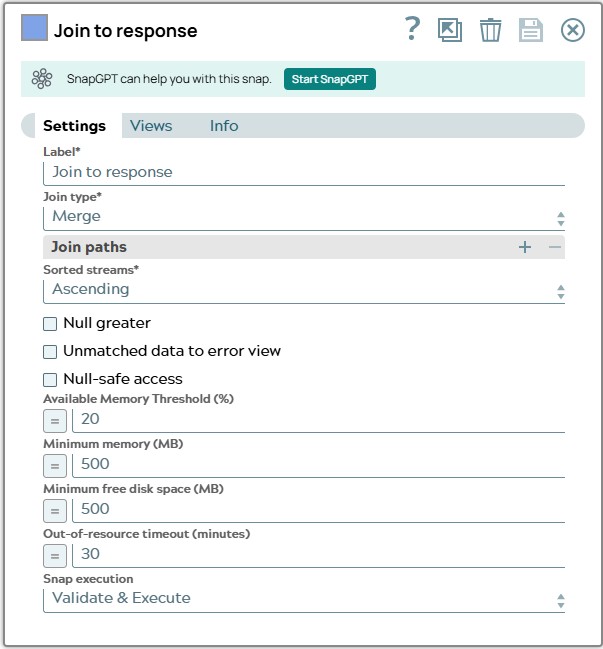 | 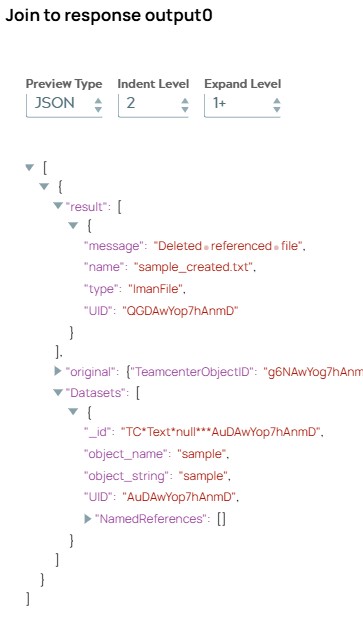 |
Alternative way for deleting empty dataset
Given the pipeline is called with _wholeCleanup parameter set to true. Numbering of steps has prefix “a” now as in “alternative” and starts with 10 to be in sync with pipeline steps above.

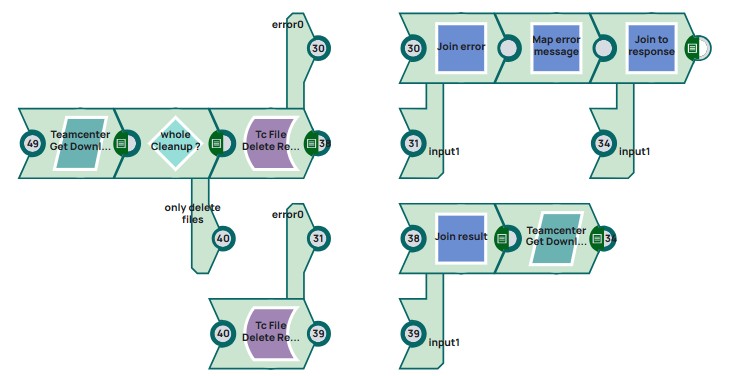
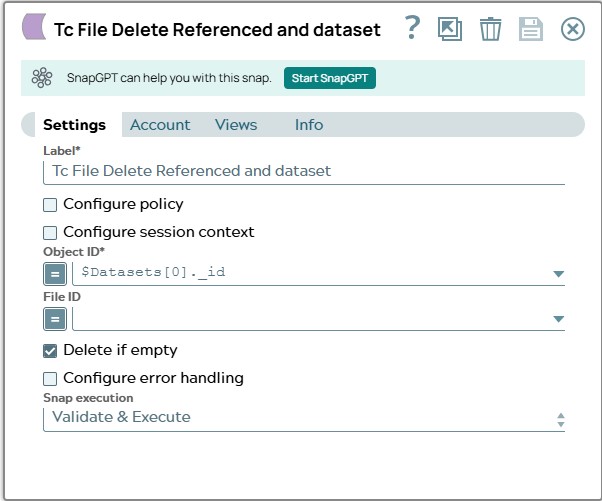
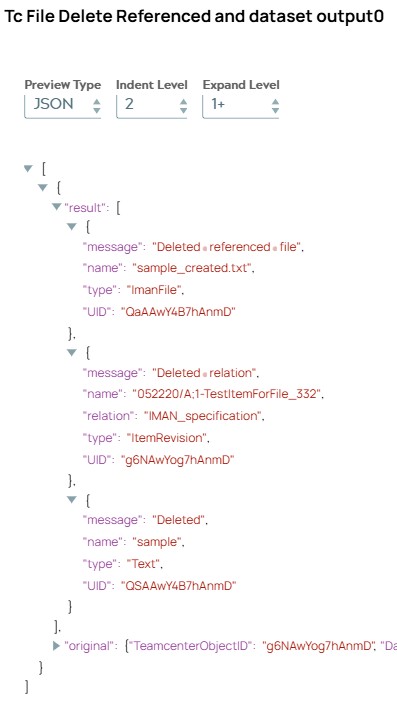
a10: The Tc File Delete Referenced Snap in this path is configured to Delete if empty. On validation, the Snap displays the actions done in Teamcenter. First the ImanFile was deleted as ist was done in Step 10 described before. But additionally the Snap checks if dataset has other file relation. This is not the case in our example so relation to ItemRevision was deleted (JSON object two in result list). At the end the dataset itself was deleted (JSON object three in result list).
Snap configuration | Snap output |
|---|---|
 |  |
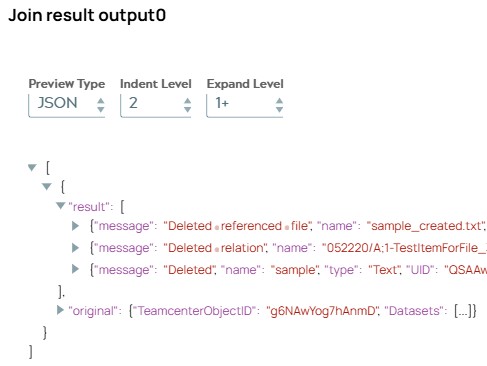
a11: The Mapper Snap copies id of created object to varaible “TeamcenterObjectID” to show that example pipeline only need this ID. On validation, the Snap displays
Snap configuration | Snap output |
|---|---|
|  |
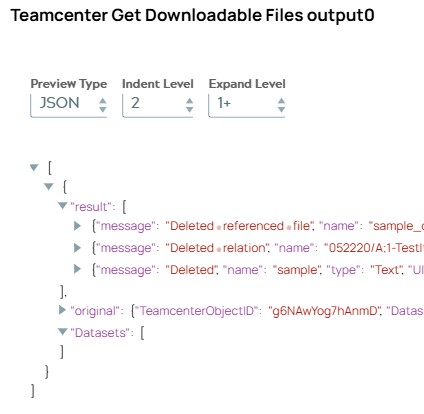
a12: The Tc Get Downloadable Files Snap is configured to show Downloadables of original Teamcenter object to validate result of deletion. The influence of Modeinlinehas the effect that incomming document is extended with Datasets list. So on validation, the Snap shows incomming document enhanced with Datasets list. This list is now empty since dataset was deleted.
Snap configuration | Snap output |
|---|---|
|  |
Snap description for error pathes
Both Tc Delete Referenced Files Snap are configured to send error data to error view. This information has to be handled then. Numbering of steps has prefix “e” now as in “error”
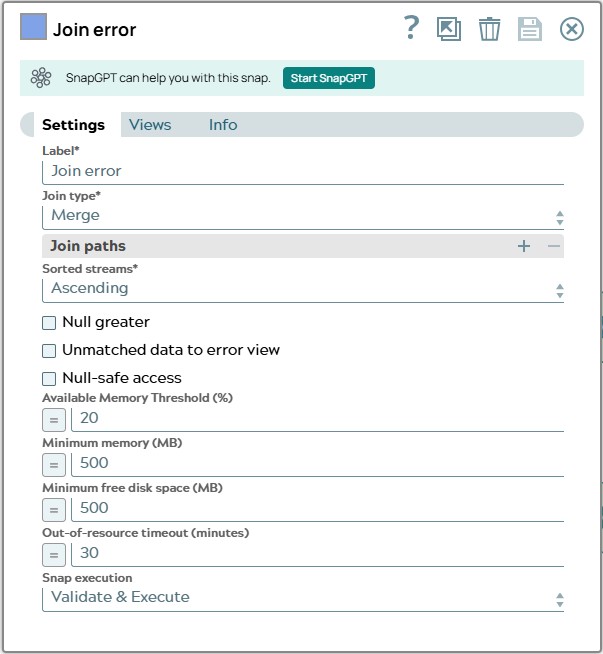
e1: The Join Snap merges both branches opened by Router Snap.
Snap configuration | |
|---|---|
 |
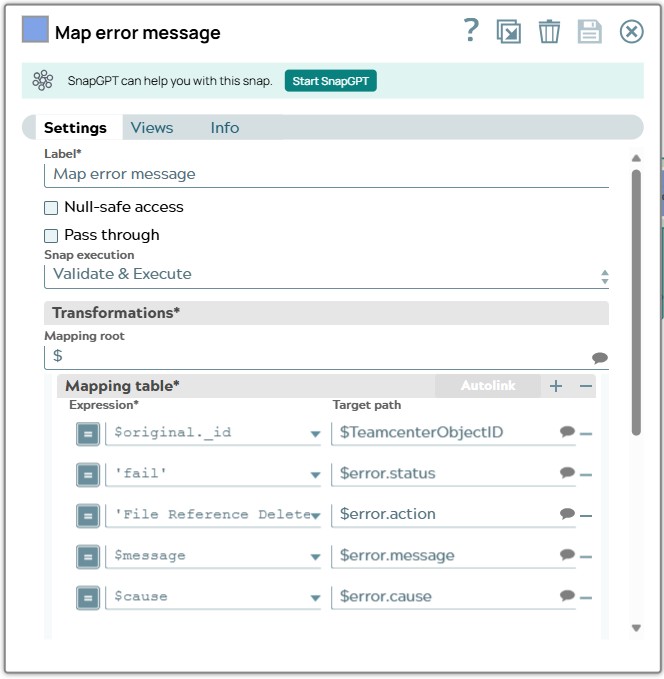
e2: The Mapper Snap transforms error infomation to an error object.
Snap configuration | |
|---|---|
 |