


Bulk load records into a table
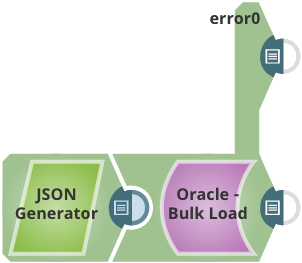
This Pipeline demonstrates 6 records to table TECTONIC.TERENCE_BULK_TEST2 with Oracle - Bulk Load Snap.
CREATE TABLE "TECTONIC"."TERENCE_BULK_TEST2" ( "id" NUMBER, "first_name" VARCHAR2(4000), "last_name" VARCHAR2(4000) )
-
Use a JSON
Generator Snap to define the data to upload.
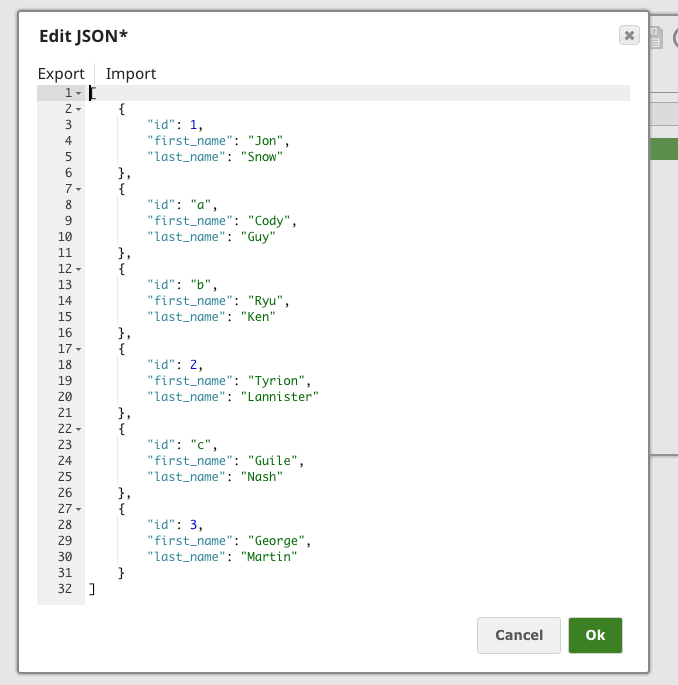
Here, there are 3 rows of data whose ID column values are strings, which is invalid when inserting into table TECTONIC.TERENCE_BULK_TEST2.
-
We use the Oracle - Bulk Load Snap with the following configuration to load the data into the target table.
Define the account for the Snap to connect to the target Oracle database instance.
Choose the Route error data to error view option in the Snaps's Views tab.

-
Execute the pipeline and observe the results.
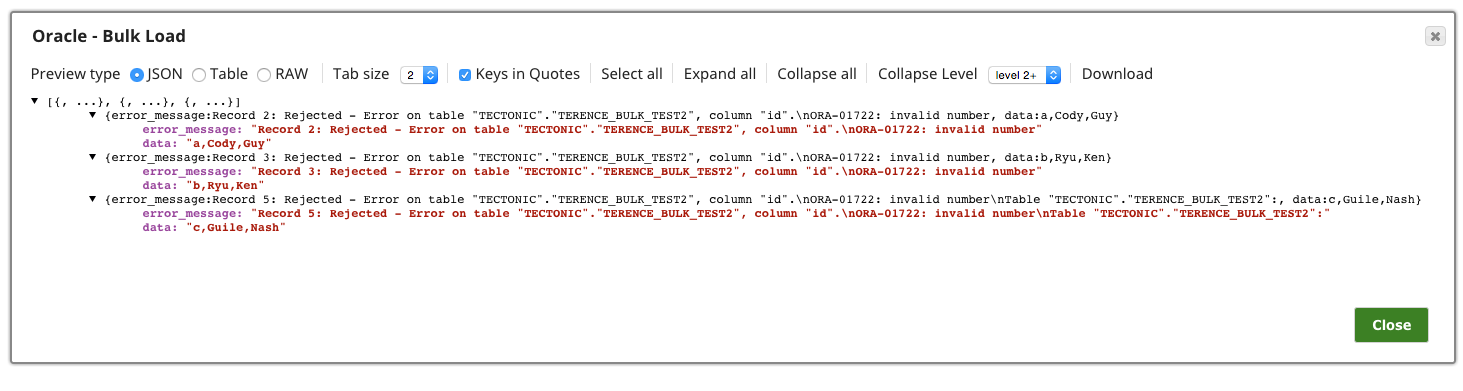
You can see the following outputs in the Snap's output view and error view, respectively:
- Three new rows have been added into the target table.

- Failed rows are displayed in the error view of the Snap as below:
- Three new rows have been added into the target table.
- Download and import the SLP file into your Environment.
- Configure Snap accounts.
- Provide Pipeline parameters, if any.